The 10 Best Free Sampler VST Plugins (2026)
Free sampler plugins can turn a single recording into a playable instrument, chop drum loops into MIDI notes, or load complete sampled instruments. The best choice depends on whether you want to build your own patches, play ready-made libraries, or experiment with audio.
TX16Wx is the strongest starting point here for building multisampled instruments. Grace is a simpler alternative for Windows users, while sforzando suits SFZ libraries. All ten options below have a free version; Sitala and Emergence also have newer paid editions, so choose the free downloads described in their entries.
From Ableton Live’s stock plugins Simpler and Sampler to Native Instruments’ Kontakt, samplers are useful tools for professional and aspiring producers. These alternatives cover several plugin formats, and some also run as standalone applications.
Contents
1. TX16Wx Software Sampler 3
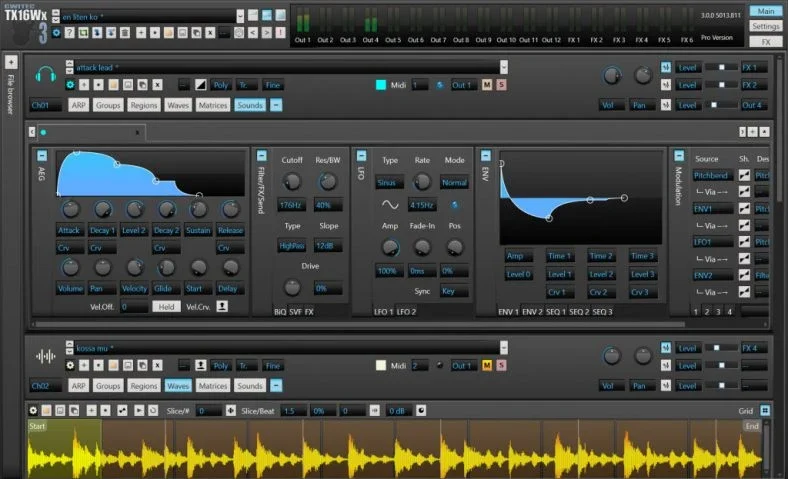
As far as free sampler plugins go, TX16Wx Software Sampler makes for a complete option. More than a simple drag-and-drop sample player, it lets you load sounds and map them across the keyboard, with separate regions and velocity layers for more expressive patches.
Its mapping editor, waveform editor and loop slicer are useful when you want to create an instrument from your own recordings. You can also load existing SFZ and SoundFont instruments, rather than build every patch from scratch.
TX16Wx 3 is available for Windows and macOS, with Linux packages also offered on the download page. Use it inside a compatible plugin host. The free edition is a permanent instrument, but the shared installer also contains paid Professional features: do not assume that Pro time-stretching and pitch-shifting are part of the free version.
2. Grace
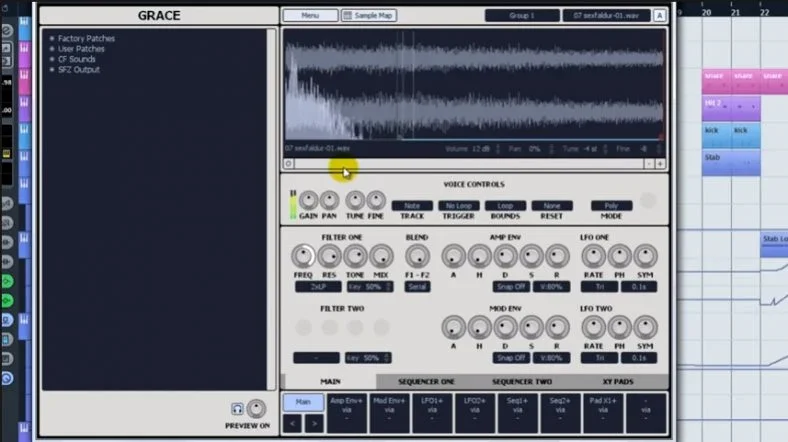
Produced by One Small Clue, Grace is a free sampler designed for creating and tweaking original patches. It includes two filters per voice, two AHDSR envelopes, two LFOs, two step sequencers and four XY control pads.
Grace remains a good choice for Windows producers who want to turn a few recordings into a playable patch without learning a large workstation. Its browser previews samples, and it supports WAV, AIF and SND files as well as SFZ patch imports.
The developer supplies separate 32-bit and 64-bit Windows downloads and a collection of 54 WaveShaper patches made from sampled analog synths and drum machines. This is an older VST plugin: it needs a compatible Windows host, and there is no native macOS or Linux version.
3. sforzando
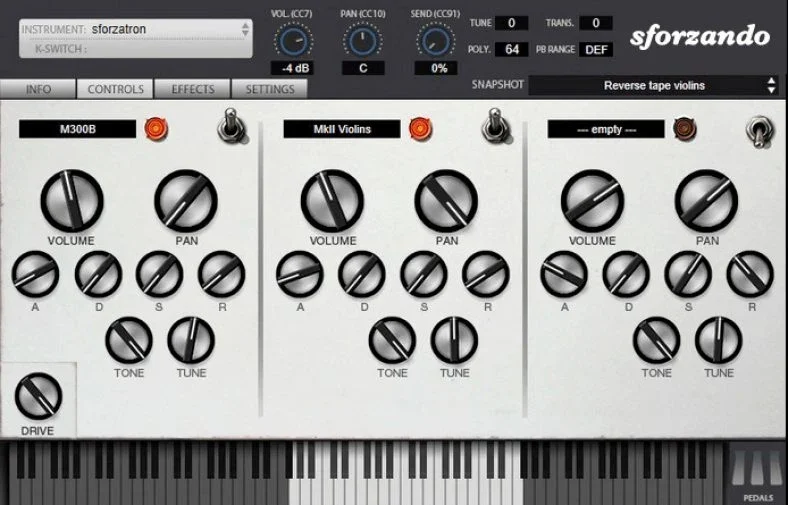
Plogue’s sforzando is a free SFZ 2.0 sample player. Choose it when you want to load an existing SFZ instrument, with its samples, key ranges and performance rules already arranged.
SFZ is a text-based instrument definition that tells a player how to use a collection of recordings. It describes things such as which notes trigger each sample and how velocity affects playback. It is an open format, while Kontakt libraries use Native Instruments’ own formats.
sforzando has one instrument slot and no general-purpose graphical mapping editor. Detailed edits to an ordinary SFZ instrument happen in its text file, which makes TX16Wx or Grace easier for hands-on patch building. Current sforzando releases support Windows and macOS, with Linux offered as a beta. There are standalone, VST3 and CLAP options; macOS also has AU, and Windows/macOS have AAX. The player is free, but individual libraries can be free or paid.
4. Zampler//RX
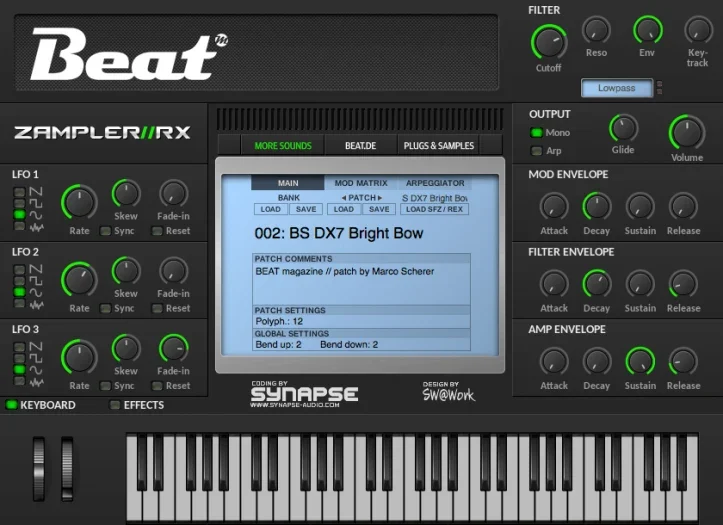
Beat’s Zampler//RX is a free sample workstation for playing SFZ instruments and REX loops. It keeps its main controls in one window, with filters, modulation and effects ready for shaping a loaded sound.
There are three LFOs, three ADSR envelopes and a modulation matrix. The effects section includes saturation, EQ, phaser, chorus, delay and reverb, and a step sequencer helps add movement to sustained patches.
The stable Zampler//RX 2.5 downloads are 64-bit VST for Windows and VST/AU for macOS. Zampler 3 is offered separately as a beta, so it should not be confused with the stable version. The instrument is free; additional commercial sound banks are optional. Choose TX16Wx instead if your main aim is detailed sample mapping.
5. MT Power Drum Kit 2
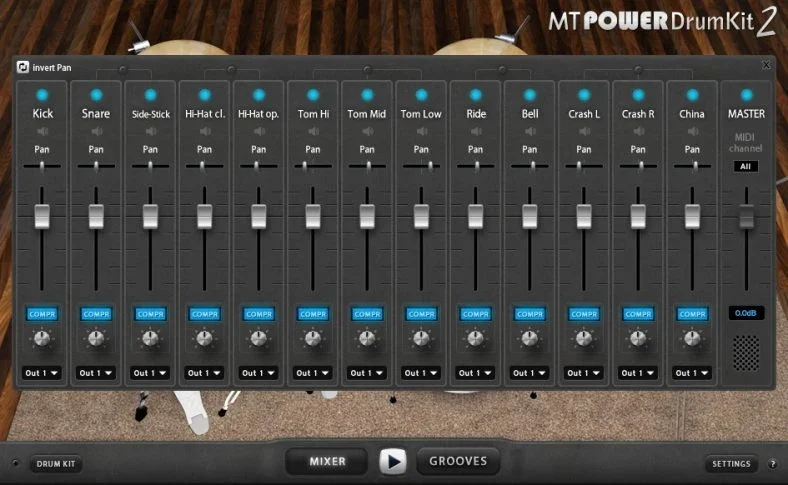
Inside a DAW, realistic acoustic drums can come from sample-based instruments such as XLN Addictive Drums 2 and Toontrack Superior Drummer 3. MT Power Drum Kit 2 offers a free alternative for arranging an acoustic drum part.
This is a ready-made sampled drum kit, rather than an open sampler for importing your own recordings. Its sounds are processed for pop, rock and metal, and the built-in mixer gives you control over individual drum channels.
The Grooves section supplies MIDI rhythms and fills that you can combine into an accompaniment. That makes it useful for songwriting when you need a drum track quickly, although the fixed kit is less flexible than an instrument built around interchangeable libraries.
The full MT Power Drum Kit 2 is free, with optional donations. The developer provides Windows, macOS and Linux versions; use the appropriate VST, AU or AAX build in a compatible host.
6. Ninjas 2
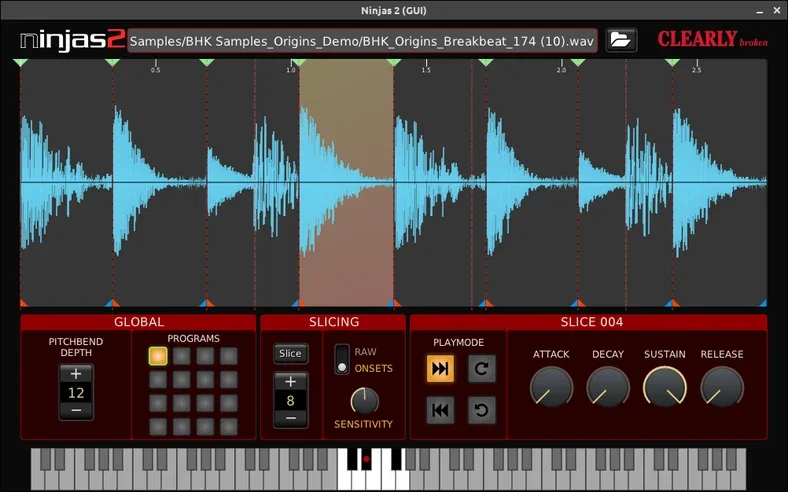
Ninjas 2 is a free, open-source sample slicer for chopping a drum loop or short vocal recording into playable pieces. Load a file, divide it into slices, then trigger those slices from MIDI notes to rearrange the phrase.
Automatic onset detection can help find the cuts, and you can adjust slice boundaries yourself. Each slice has an ADSR envelope and forward, reverse or loop playback choices, so a straightforward percussion loop can become a useful source of fills and variations.
The developer provides Windows, macOS and Linux downloads, with VST2 and LV2 plugins and a JACK standalone build. It is an older project, and the developer documents host-specific LV2 problems and limitations when automating overlapping slices. It does not have a built-in step sequencer; program the new rhythm in your DAW.
7. Decent Sampler
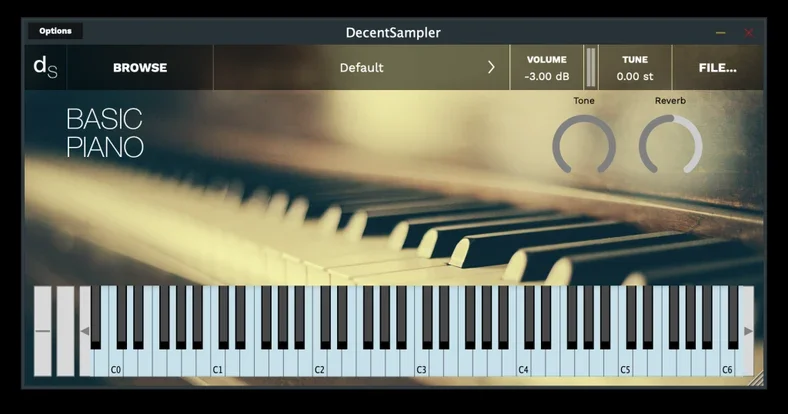
Decent Sampler is a free instrument player for libraries in its own .dspreset and .dslibrary formats. It is a useful starting point if you want playable sampled sounds without paying for a commercial sampler.
The instrument library determines the interface and available controls. You can use ready-made libraries or build instruments of your own; the current Preset Editor supports sample mapping, velocity layers and round-robin groups, and recent versions add loop slicing for tempo-following instruments.
Decent Sampler runs on Windows, macOS and Linux as a plugin or standalone application. Windows and macOS include VST, VST3 and AAX options, macOS also has AU, and Linux offers VST/VST3. The player is free, but that does not make every compatible sample library free. The developer’s download form requests an email address.
8. Emergence 0.3.2
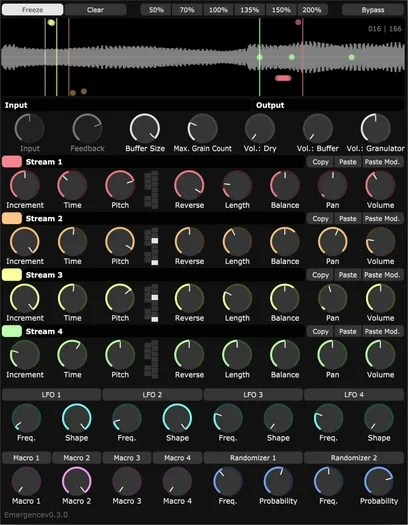
Emergence 0.3.2 is a free real-time granular effect for turning incoming audio into textures, glitches and layered drones. It fills the experimental resampling role here, although it works as an audio effect rather than a keyboard-controlled sample instrument.
Insert it after a sound source in your DAW. It records audio into a buffer and plays short pieces called grains through four independent streams. Freeze lets you hold a moment of sound while you change its pitch and grain settings.
The free 0.3.2 version remains available from the developer for Windows and macOS, in VST3 and AU formats as appropriate. It needs a 64-bit host and does not respond to MIDI notes. Emergence 1 is a separate paid edition: its preset browser, grain-envelope ADSR controls and newer modulation features are not included in this free recommendation.
9. Simple Microtonal Sampler
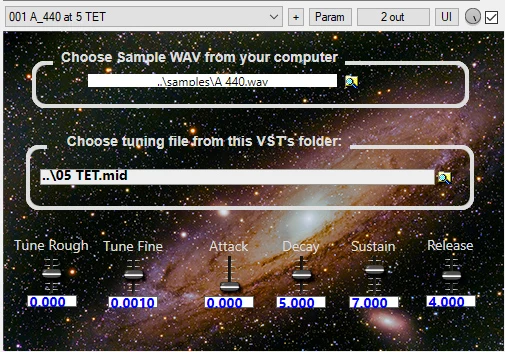
BipTunia’s Simple Microtonal Sampler is a specialist free Windows instrument for playing your own WAV recordings with alternative tunings. It provides thousands of tuning files and lets you add more, making it useful for experimenting beyond the usual twelve equally spaced notes per octave.
Load a sample, choose a tuning and adjust the envelope. Rough and fine tuning controls let you set the recording’s reference pitch. The developer offers 64-bit Windows VST2 and VST3 downloads; it needs a compatible host.
It is worth keeping alongside a more general sampler if alternative tuning is part of your music. The tuning-file picker needs to point to the folder containing your tuning files, so follow the installation notes when moving the plugin. The developer’s BipCot NoGov licence excludes government use.
10. Sitala 1 (free version)
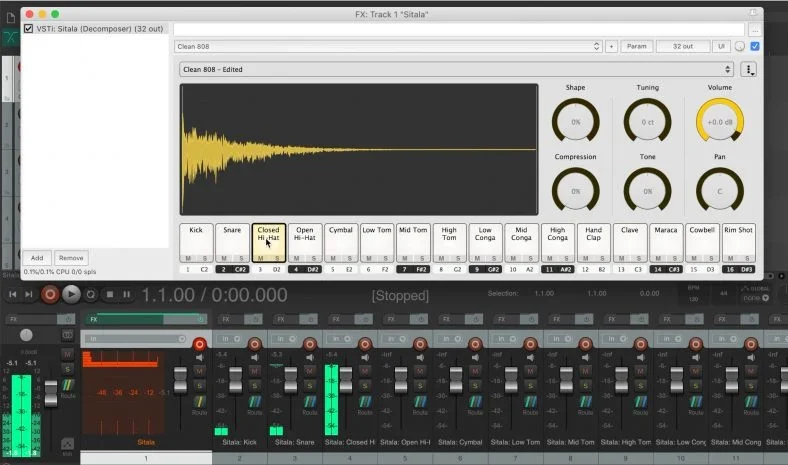
If you like the drum-pad approach of Ableton Live’s Impulse, Sitala 1 is a straightforward way to build a kit from your own samples. It has sixteen pads and a small set of controls for shaping, compressing, tuning and positioning each sound.
The important distinction is the version: Sitala 1.0.9 remains free on Decomposer’s download page, while Sitala 2 requires a paid licence. Scroll to the older Version 1.0 downloads instead of choosing the latest release.
The free version includes standalone and VST builds for Windows, macOS and Ubuntu Linux 20.04. macOS also has AU and AAX, and the Windows 64-bit package includes AAX. The listed Mac requirement is macOS 10.10 or later; choose the older download deliberately, since the current paid edition has different requirements and features. Sitala 2 adds the newer beat-slicing workflow and 4×4 layout.
What is a Sampler?
A sampler is an instrument that plays recorded sounds, called samples. Many software samplers let you map recordings across a keyboard and trigger them with MIDI notes. Others focus on drum pads, loop slicing or playing an existing instrument library.
For example, load a recording of a flute playing C and set its root note to match. A sampler can transpose that recording when you play other notes. The root note is adjustable; C3 is not a universal setting. Using several recordings across the keyboard can reduce the unnatural changes that come from transposing one sample too far.
A sampler does not have to create a separate audio file for every note. It can change the recording’s playback pitch in real time. Some instruments also offer time-stretching, but that feature is not included in every free sampler.
The Mellotron is a famous early example of a keyboard that plays recordings: its keys trigger strips of tape. You can watch Sir Paul McCartney demonstrating it in this YouTube video.
Summary
Free samplers are a good place to start when you’re learning music production. TX16Wx and Grace suit building patches, sforzando and Decent Sampler play instrument libraries, and Sitala 1 makes assembling a drum kit straightforward.
For a more specific job, try Ninjas 2 for loop chopping, MT Power Drum Kit 2 for acoustic drum arrangements or Emergence 0.3.2 for granular audio effects. Check the plugin format and operating system before downloading, and choose the stated free edition where a paid successor exists.