The 8 Best Compressor Plugins (2026)

A compressor plugin can handle everyday level control, add character or reshape a mix bus. These eight choices cover those jobs, with options for simple hardware-style controls and more detailed adjustment.
My top pick is FabFilter Pro-C 3 for its fourteen compression styles, visual feedback and flexible sidechain controls across a wide range of mixing jobs.
My budget pick is Klanghelm DC8C 3, an affordable compressor with four Easy modes and deeper controls for shaping its response and saturation.
Contents
- The Best Compressor Plugins (2026)
- 1. FabFilter Pro-C 3
- 2. Klanghelm DC8C 3
- 3. Softube Tube-Tech CL 1B Mk II
- 4. Universal Audio 1176 Classic Limiter Collection
- 5. SSL Native Bus Compressor 2
- 6. u-he Presswerk
- 7. TDR Kotelnikov GE
- 8. FabFilter Pro-MB
- How to Choose a Compressor Plugin
- Frequently Asked Questions
- Conclusion
The Best Compressor Plugins (2026)
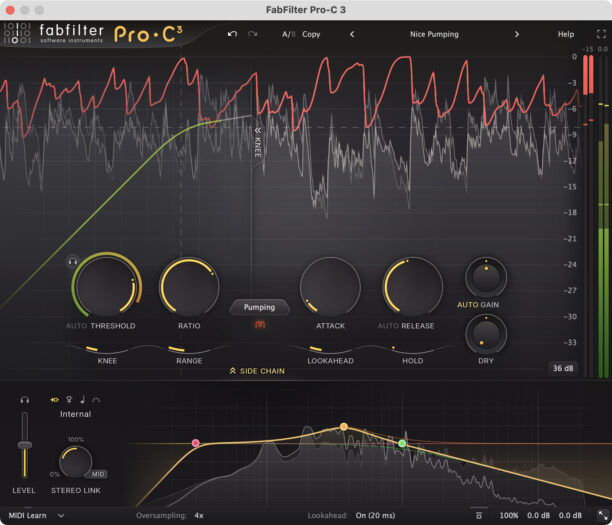
FabFilter Pro-C 3 is my first recommendation if you want one compressor for a wide range of mixing jobs. Its visual display makes it easier to connect what you hear with the threshold, knee, and gain reduction, which is helpful when you are learning compression or comparing settings.
Pros
- Fourteen compression styles with separate Character controls
- Sidechain EQ and adjustable stereo linking
Cons
- Lookahead adds latency, which can hinder live monitoring.
The 14 compression styles cover different responses, while the separate Character controls add saturation and coloration. You can keep a vocal controlled, shape a drum transient, or set up obvious pumping without switching to another plugin. The sidechain EQ lets you adjust which frequencies trigger compression; it does not directly equalize the track itself.
External sidechaining, a Mix control for scaling compression, and adjustable stereo linking give you room to work beyond a simple channel insert. For example, reducing the influence of bass in the detector can help prevent a kick drum from pulling down an entire group.
The tradeoff is that there are more choices than a simple hardware-style compressor. Start with one style and leave the Character panel alone until you need color. Choose Pro-MB below when you need to draw and independently adjust separate frequency bands.
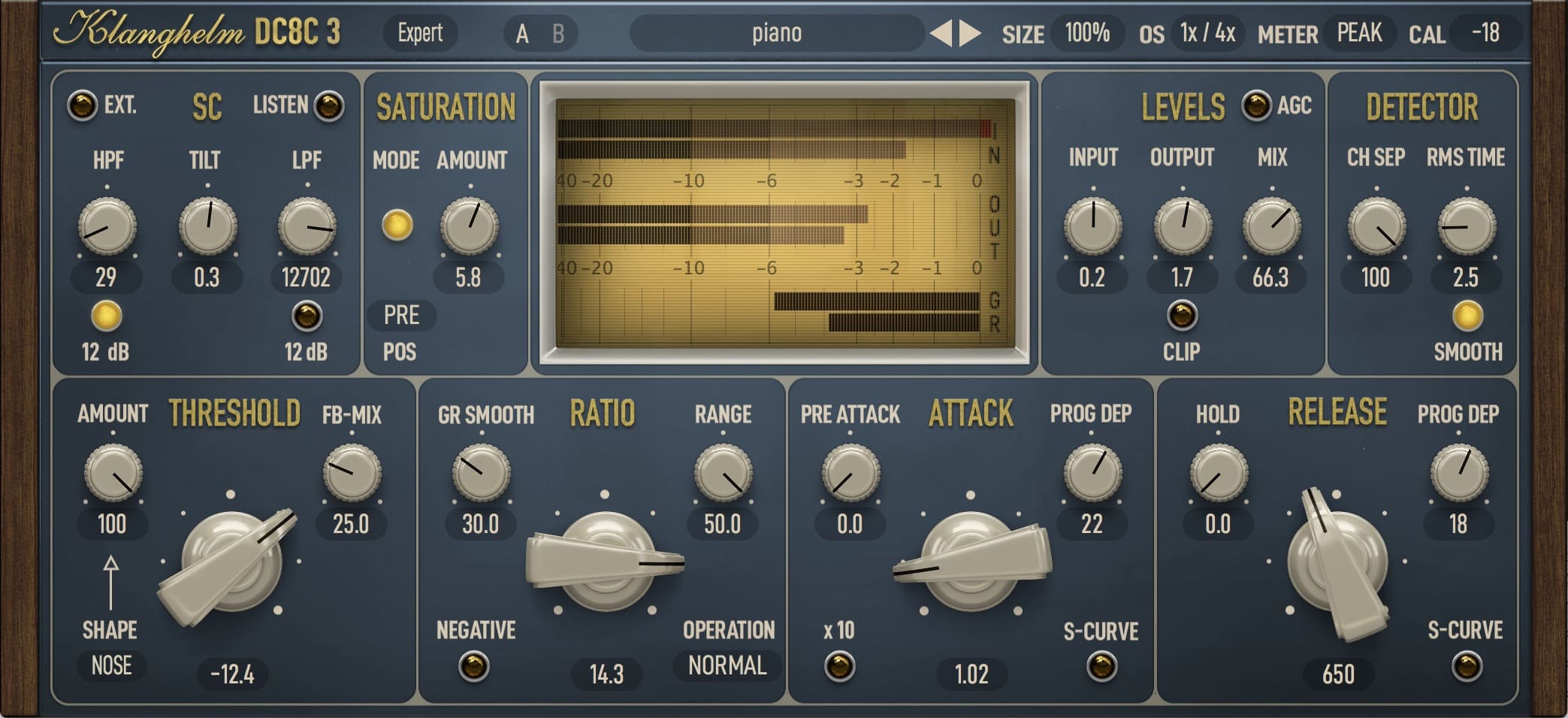
Klanghelm DC8C 3 is for producers who want to explore how a compressor reacts in detail. It can move between clean control and more obvious shaping, with saturation, detector filters, and adjustable attack and release behavior.
Pros
- Easy Mode offers four compression styles
- Detailed detector and envelope shaping
Cons
- Switching back to Easy mode overrides Expert-mode edits.
The Easy Mode provides four compression styles, making it a sensible starting point before moving to the deeper controls. Those advanced settings include a blend between feedback and feed-forward detection, gain-reduction smoothing, and different envelope curves. They let you change the response.
For a drum track, this means you can work on the balance between the initial hit and the body of the sound. For a sustained instrument, a smoother response may be more useful. Make one change at a time and compare at equal level so you can tell what each control is contributing.
DC8C 3 is a good buy if that level of adjustment appeals to you. It is less suitable if you want to turn two knobs and move on. Presswerk is the alternative to compare if simplified task-specific views and saturation routing are more important than spending time with detailed compressor behavior.

Softube’s Tube-Tech CL 1B Mk II is a good choice for vocal leveling when you want an optical compressor with more timing control than a basic two-knob design. It also makes sense for sustained bass or guitar parts that need steadier level and some character.
Pros
- Adjustable attack and release for optical leveling
- Generation Switch compares Mk I and Mk II models
Cons
- Requires an iLok account
The CL 1B models Tube-Tech’s optical hardware compressor. Its attack and release controls help you tune the response to the performance, so you are not limited to one fixed envelope. Softube’s Generation Switch lets you compare the Mk I and Mk II versions inside the same plugin.
For a lead vocal, the useful question is whether quiet words stay audible without louder syllables losing their shape. Deal with large level jumps using clip gain or automation first; then use the compressor to handle the remaining variation. Our guide to mixing vocals covers the wider processing chain.
Choose the CL 1B when vocal leveling is your main purchase. Pro-C 3 is more flexible if you need detailed detector filtering and a single compressor for many unrelated jobs. Softube requires an iLok account, although a physical iLok key is not required.
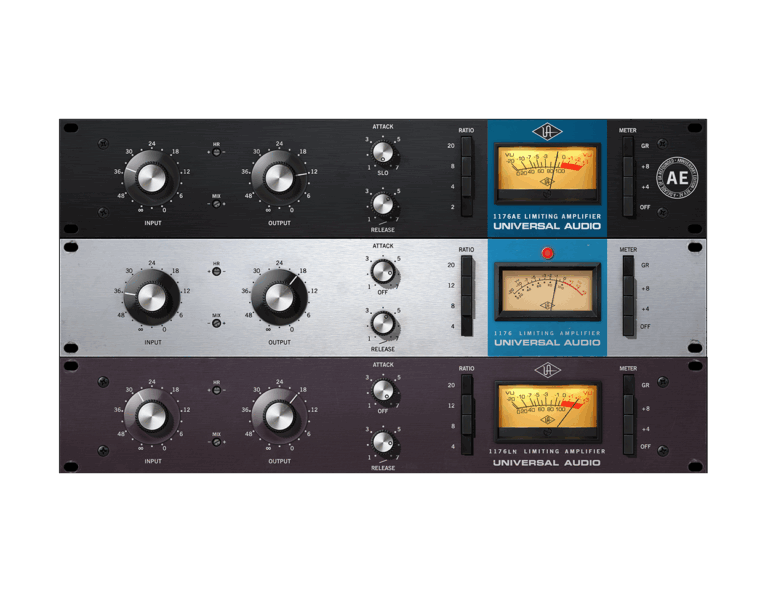
4. Universal Audio 1176 Classic Limiter Collection
The Universal Audio 1176 Classic Limiter Collection is the option to consider for fast FET compression on vocals, snare, bass, and drum room tracks. The collection includes Rev A, Rev E, and AE models, giving you several versions of the 1176 response rather than a single preset bank.
Pros
- Rev A, Rev E, and AE models in one collection
- Native operation without Apollo or UAD-2 hardware
Cons
- Modeled coloration may be unwanted for transparent mastering.
An 1176 uses its Input control to drive compression, with Output bringing the level back into balance. This workflow encourages you to listen to the relationship between gain reduction and coloration. Attack and release settings still matter: catching every transient immediately can remove the bite you wanted to keep.
The All-Button mode is useful for deliberately squashed, aggressive textures. On a drum parallel channel, blend that sound with the original until it adds density without overwhelming the kit. The plugin’s Mix control can handle this blend inside one instance.
Buy the Classic Limiter Collection specifically if you want the three models described here. It runs natively on Mac and Windows without Apollo or UAD-2 hardware; the DSP version is a separate processing route. For subtle final-mix control with fewer tonal changes, Kotelnikov GE is the more focused candidate.
SSL Native Bus Compressor 2 is a focused pick for drum groups and the stereo mix bus. It recreates the center-section compressor from SSL’s G Series consoles, with a familiar set of threshold, ratio, attack, release, and makeup-gain controls.
Pros
- Focused controls for drum groups and the mix bus
- Sidechain high-pass filter and parallel Mix control
Cons
- Oversampling adds processing delay
The appeal is a relatively direct workflow for making a group move together. A gentler ratio and an attack that lets some transient energy through are useful starting points when you want cohesion without flattening the drums. Set the release while listening to the rhythm, then adjust the threshold for the amount of gain reduction you actually need.
The sidechain high-pass filter reduces how strongly low frequencies trigger compression. This is helpful when the kick or bass makes the whole mix dip. A Mix control allows parallel compression, and the external sidechain opens up deliberate ducking effects.
Its narrower role is also its limitation. If you need independent control of several frequency regions, use Pro-MB; if transparent mastering compression is the priority, compare Kotelnikov GE. Oversampling adds processing delay, so judge it in the context of your session rather than enabling it automatically on every instance.
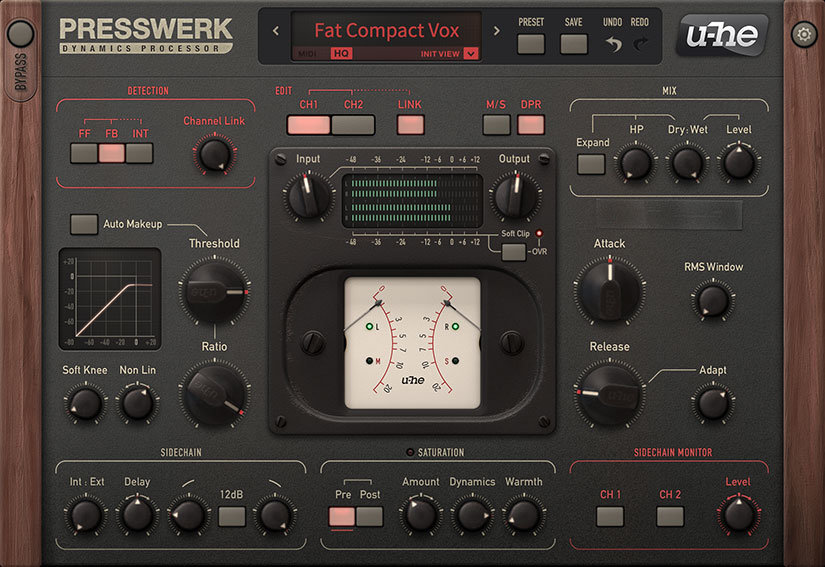
u-he Presswerk suits producers who want to shape both dynamics and saturation in one plugin. It draws on several compressor ideas instead of recreating one specific hardware model, so you can adapt it to vocals, drums, buses, and more experimental processing.
Pros
- Task-specific views simplify access to the controls
- Saturation can run before or after compression
Cons
- Linux version has less official support than Windows and macOS.
Its six views include Easy, Vocal, Drum, Bus, M/S, and Limiter layouts. These provide simpler ways into the controls before you tackle the full interface. The detailed view lets you adjust the detection behavior, knee, and envelope, while saturation can sit before or after compression.
That routing matters because saturation before the compressor changes the signal the compressor receives; saturation afterward changes the already compressed output. Try the two positions when a bass part needs extra harmonics or a drum group needs some edge, keeping the output level matched as you compare.
Presswerk is a good alternative to collecting several narrowly focused emulations. The learning curve is steeper than a simple optical compressor, and it is easy to change too much at once. Choose the Easy view first, establish useful gain reduction, and add saturation only when the arrangement benefits from it.
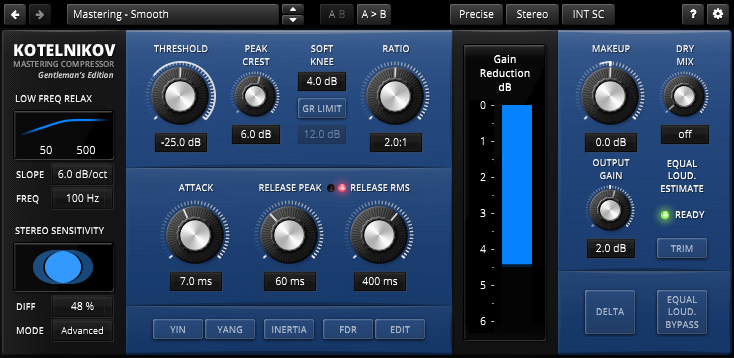
TDR Kotelnikov GE is a strong candidate for transparent stereo-bus compression and mastering. It is a digital design rather than a vintage hardware emulation, with separate release controls for peak and RMS behavior to help manage short events and broader changes in level.
Pros
- Separate peak and RMS release controls
- Equal-loudness comparison and frequency-dependent ratio tools
Cons
- Higher quality modes require more processing power.
The Gentleman’s Edition adds equal-loudness comparison tools, external sidechaining, and frequency-dependent ratio control. The loudness tools are especially useful when a louder processed signal seems better simply because its level has increased.
Frequency-dependent ratio lets the compression ratio vary with frequency. Kotelnikov remains a wideband compressor; it does not become a conventional multiband processor with independent gain reduction for every band. Choose Pro-MB when that independent control is the problem you need to solve.
The free standard Kotelnikov is worth trying before you buy GE. It gives you a practical way to explore the basic approach, while GE makes sense if its additional controls fit your workflow. This is a less obvious purchase for someone who primarily wants gritty drum compression or an instantly recognizable vintage interface.
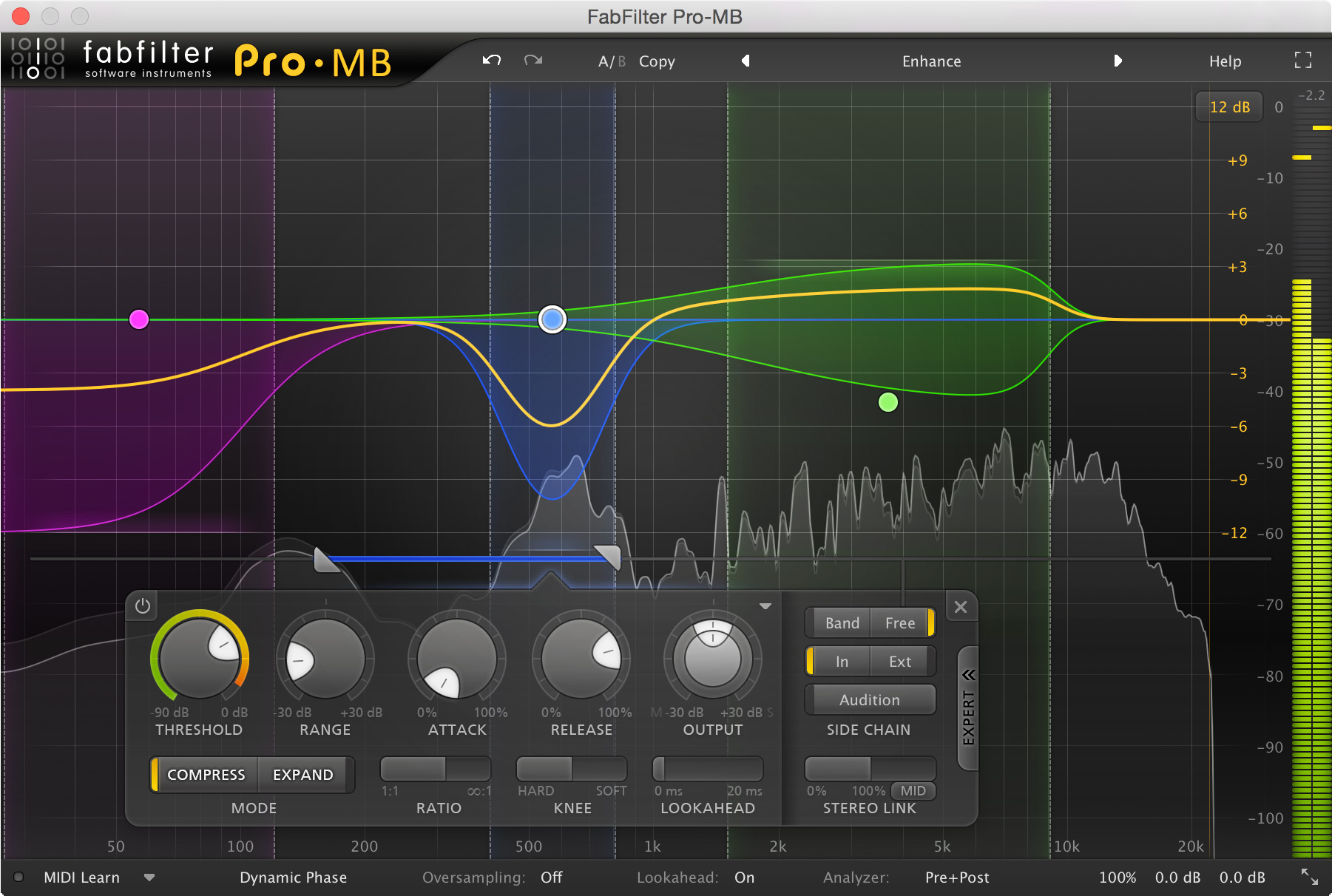
FabFilter Pro-MB is the specialist choice when only part of the frequency spectrum needs dynamic control. You can create up to six processing bands and adjust their compression or expansion separately, leaving room to address low-end buildup without making the entire track quieter.
Pros
- Up to six independently adjustable processing bands
- Compression and expansion with several phase modes
Cons
- Linear Phase mode adds delay, which can hinder live monitoring.
For example, a bass recording may have a few notes that produce too much low-frequency energy while the upper harmonics already sit well. A carefully chosen band can control that region. On a full mix, this approach needs restraint because changing one band can also change the balance between instruments.
Pro-MB has Dynamic Phase, Minimum Phase, and Linear Phase processing modes. These offer different phase and latency tradeoffs. Select a mode for the task and compare it on the material; a more elaborate processing mode is not automatically the better choice.
This is a useful second compressor after you have a reliable full-band option. It is unnecessary for straightforward vocal leveling or basic drum-bus glue. If a broad frequency area needs ongoing dynamic correction, Pro-MB is worth considering; if the whole signal simply needs steadier level, begin with one of the full-band compressors above.
How to Choose a Compressor Plugin
Start with the source. For an uneven vocal, consider the CL 1B or Pro-C 3. For aggressive drum or room compression, the 1176 collection gives you a more obvious character. For a group that needs to move together, SSL Bus Compressor 2 is the focused option. Kotelnikov GE suits work where preserving the existing tonal balance matters more than adding a modeled hardware sound.
Next, decide whether you need full-band or multiband compression. A full-band compressor changes the level of the whole signal in response to its detector. A multiband compressor can reduce one frequency region separately. You do not need multiband processing merely because a plugin has more controls; buy it to solve a frequency-specific problem.
A detector filter is different from a multiband split. Filtering low frequencies out of the sidechain makes the compressor less sensitive to them, but its gain reduction still affects the full signal. This can reduce unwanted pumping without cutting bass out of the audio itself.
Check your DAW’s plugin format, operating system, and licensing requirements before purchasing. VST is often used as a general term for plugins, but Logic uses Audio Units and Pro Tools uses AAX. Also test the processor in a realistic project: oversampling and lookahead can add CPU load or latency, particularly when you use many instances.
Frequently Asked Questions
Do I Need a Paid Compressor Plugin?
A paid compressor is optional. Your DAW’s stock compressor may already handle clean leveling, sidechaining, and parallel processing. A separate plugin is worth considering when its controls or response help you achieve a specific result more easily. The free standard TDR Kotelnikov is another way to explore bus compression before buying a specialized tool.
Which Compressor Plugin Is Best for Vocals?
The Tube-Tech CL 1B Mk II is the focused pick for optical vocal leveling, while Pro-C 3 gives you broader control over the detector and compression style. The 1176 collection is worth comparing when you want fast peak control and more character. Large changes between phrases often need automation as well as compression.
Should I Use a Compressor or a Limiter for Mastering?
Use a compressor to shape the movement and dynamic range of a mix. A limiter is typically used near the end of the chain to control the highest peaks and help set the final level. Kotelnikov GE can handle subtle bus compression, but it does not remove the need to check final peaks. Our guide to audio dynamics processors explains their different roles.
Can I Use Two Compressors on One Track?
Yes. One compressor can catch short peaks while another handles broader level changes. Each stage should have a clear purpose, and you should compare the complete chain with the bypassed sound at a similar volume. If two stages make the track dull or unstable, reduce the processing or solve the larger level changes with automation.
What Is Parallel Compression?
Parallel compression blends a compressed signal with an uncompressed version. It can add body to drums while keeping some of the original transient detail. A plugin’s dry/wet control is a convenient way to try it; a separate return track gives you more control over additional processing and routing.
Conclusion
Choose Pro-C 3 if you want one flexible compressor to cover several mixing jobs. Add the CL 1B for vocal leveling or the 1176 collection for FET character when you can hear a reason to do so. For the stereo bus, compare SSL Bus Compressor 2 with Kotelnikov GE according to how much color you want. Pro-MB belongs on the shortlist when independent frequency control is the requirement.