Flowkey vs Simply Piano – Which Is Better?

Flowkey and Simply Piano are both beginner-friendly piano-learning apps. Flowkey suits players who want to pick a song and see the pianist’s hands as they learn it. Simply Piano gives beginners a more direct path through reading music and playing with both hands.
Both apps can hear an acoustic piano through your device’s microphone. A compatible digital piano or keyboard can send the notes over MIDI instead.
These apps are different from each other in several ways but that is ultimately a good thing. It all depends on personal preference. Let’s take a more detailed look into both apps as well as their differences and similarities.
The video review shows an earlier version of the apps. The plan details below reflect the plans currently offered.
Contents
Key Differences between Flowkey and Simply Piano
- Flowkey works in a desktop browser and has mobile apps. Simply Piano is designed for iOS and Android phones and tablets.
- Flowkey has arrangements for several levels, from beginner to pro. Simply Piano puts more emphasis on a guided start and has later courses and pre-advanced sheet music.
- Flowkey lets you choose your course while Simply Piano is more of a ‘complete one and advance to the other’ type.
- Flowkey puts a video of the pianist’s hands above the score. Simply Piano teaches with scrolling notation and listens for the notes you play in its guided lessons.
- Flowkey separates songs and courses. Simply Piano subscribers open the Song Library after the first two Essentials I lessons, with different introductory lessons for adult and child profiles.
- Flowkey supports wired MIDI and Bluetooth MIDI on compatible mobile devices. Simply Piano supports wired MIDI on compatible iOS and Android devices. Its Bluetooth MIDI option is for iPhone and iPad.
- Flowkey’s song selection depends on your plan. Simply Piano groups Song Library arrangements by where you are in its courses.
Key Similarities between Flowkey and Simply Piano
- Both have introductory material you can play with a free account. The paid plans give you access to more lessons and songs.
- Flowkey and Simply Piano are great apps for beginner pianists just starting out.
- Both apps can use a supported device’s microphone to listen to an acoustic piano.
- Both apps work with compatible digital keyboards over MIDI. Sending the notes directly can help if the microphone struggles to pick up your playing.
- Both apps give you feedback on the notes you play. In Flowkey’s Wait Mode the score advances after the right notes. In Simply Piano’s iOS Song Library, Practice mode can wait for a correct note and give you a hint.
- Both let you slow down songs as you practice. Flowkey also lets you loop a passage. Simply Piano has a metronome option in its iOS Song Library.


Interface and Design

When it comes to the interface and design of both apps, I’ll give Simply Piano the upper hand. Flowkey puts its song and course libraries up front, so it’s easy to choose what you want to practice. Simply Piano shows more prompts as you move through an exercise, which can be helpful when you’re just starting out.
The older Flowkey screenshot above shows how songs are grouped in the library. Within a piece, the video and score are visible together. Watching the fingers on the keys can help if you know the notes already and want to see how to get from one chord to the next.
Courses and Songs
I’d pick Flowkey if the main goal is to build a repertoire. You can jump between courses and songs, and the video of a pianist’s hands gives you something to follow when the sheet music is unfamiliar. Simply Piano uses step-by-step courses for skills like sight reading and playing with both hands.
Flowkey’s free account includes a small selection of songs and lessons. Simply Piano subscribers can choose songs suited to their current level once they reach the Song Library. If you have a particular piece in mind, check that it’s in the catalog and that you can access the arrangement you want on your chosen plan.
For a complete beginner, I’d start with Simply Piano. Its guided approach gives you a clear next exercise. Flowkey is a good fit if you’d rather pick an arrangement and work through it at your own pace. Try learning the right hand first, then loop the part that gives you trouble before you add the left.
Compatibility and Use

Flowkey runs in supported browsers on a PC, Mac or Chromebook and has iOS and Android apps. Simply Piano is designed for mobile devices. The developer says the Android app may work on Chromebooks, with limited support.
Flowkey lets you connect your keyboard over USB MIDI with a compatible cable or adapter. For a computer, use a browser that supports MIDI, such as Chrome. On compatible iOS and Android devices, you can also pair a Bluetooth MIDI keyboard in the app.
Simply Piano can listen through the microphone or receive notes through a wired MIDI connection. If your keyboard supports Bluetooth MIDI and you’re using an iPhone or iPad, you can pair it in the app. On Android, use a compatible USB MIDI cable and OTG adapter for a direct connection. Within the Song Library, you can change the tempo on both platforms. The iOS menu also includes separate-hand practice and a metronome.
Pricing (Free & Paid)
Check the plan and any trial terms on the Flowkey and Simply Piano sites before subscribing.
Both apps have free lessons you can keep using. A subscription trial gives you more access for a limited time, and the terms depend on the plan and your eligibility.
Flowkey Free
With a free Flowkey account, you can try a handful of course lessons and songs for as long as you like.
You can use the same practice features on that free material. Try Wait Mode or loop a short passage to see whether following the video and sheet music together works for you.
Flowkey Premium
Flowkey Classic gives you all courses, classical pieces and public-domain songs. Premium adds other catalog genres, such as pop and film music, and ABRSM exam pieces. Family has the same content as Premium and supports up to five profiles.
The plans are billed monthly or yearly. The web app offers Classic, Premium and Family. The App Store and Google Play offer Premium. The yearly plans can include a seven-day Premium trial, though discounted offers may omit it.
Simply Piano Free
Piano Basics is free and covers some of the first skills you’ll use at the keyboard. You can also try Touch Intro, which uses the on-screen keys.
To move beyond the introductory material and open the Song Library, you’ll need a subscription. If your account qualifies, Simply offers a seven-day trial on the yearly plan. Check the renewal terms when you sign up.
Simply Piano Premium
The Individual plan gives one learner a premium profile. Duo gives two learners access to Simply Piano, and Family covers up to five premium profiles and includes the other Simply apps.
A subscription also gives you access to later courses and interactive sheet music as you progress. The sheet music feature’s moving Play mode and live Feedback are available on iOS. That’s separate from the basic note recognition you use in guided lessons.
Alternatives
While you can teach yourself the piano at home or with piano books, there are many great apps for learning the piano out there, as well as online lessons to consider. All platforms/apps differ slightly from one another but that is ultimately a good thing, as not all designs, interfaces, and styles can suit each individual the same.
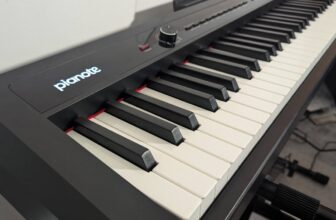
Out of the many, one that comes to mind is Pianote. Pianote is closer to a series of video lessons from a teacher. If you’d like to watch an instructor talk through a technique before you play it, it’s another option.
See our video review of Pianote below, or see Pianote’s current offer.
That said, Flowkey, Simply Piano, or any other app can be very suitable for learning as long as you stick to it. Different styles of learning and apps suit different people. A few other noteworthy mentions would be PlaygroundSessions and PianoVideoLessons. Overall, no app will ever encompass all the details and hands-on experience/instructions as private or online lessons would.
Conclusion
Both Flowkey and Simply Piano are good piano-learning apps for beginners. Flowkey gives you room to explore more difficult arrangements and learn from the pianist’s hand movements. Simply Piano gives you a clearer sequence for building your skills from the beginning.
I’d choose Flowkey if there’s a song you want to learn or if you like practicing at a computer. If you want the app to tell you what to work on next, Simply Piano is the easier place to start.
Try both apps with your own instrument before you decide. A lesson or song from the free selection is enough to check whether the app picks up the notes and whether you’re comfortable with the way it teaches. For a teacher-led alternative, see the current Pianote offer.