8 Great Rhythm Training Apps and Websites (2026)

When you’re a musician, keeping up with the rhythm of a song is essential. It’s a no-brainer to practice your rhythm and train your ears and muscle memory to keep up with different rhythms.
These 8 rhythm training apps and websites let you practice on your phone or computer. For a structured course, try Complete Rhythm Trainer; for free browser practice without an installation, start with The Rhythm Trainer or 4four.io.
Contents
1. Rhythm Trainer
Google Play: View Price | iOS App Store: View Price
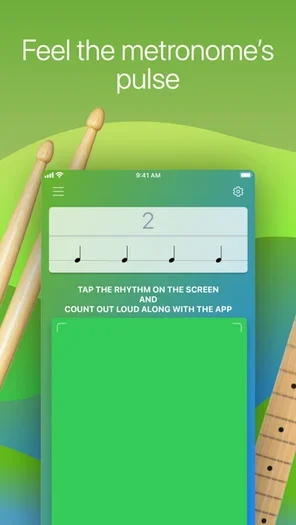
Rhythm Trainer works simply: you listen to the rhythm that the app plays, then tap it out on your phone or tablet. As you progress, the exercises move from basic beats to more complex patterns. It’s a useful starting point when you can hear a rhythm but struggle to repeat it accurately.
You are practicing how to play a rhythm as well as how to recognize it. The app also includes rhythm sight reading, so the patterns you hear start to make sense on the page.
The Android app is listed as Rhythm Trainer by Demax, while the linked iPhone/iPad app is Music Rhythm Trainer. Both are free to download with paid access beyond the free allowance. Android’s listing specifies a daily time limit; the iOS listing describes an automatically renewing subscription. The free limits and purchase options are platform-specific.
2. therhythmtrainer.com
Website: View Price
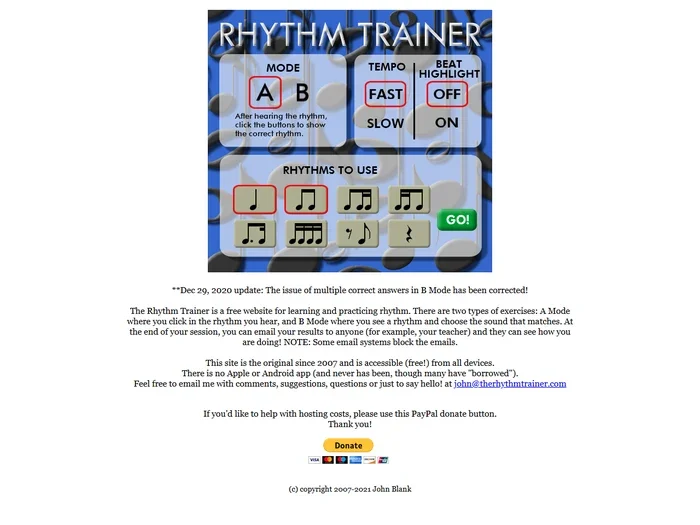
This simple website lets you practice rhythm in two ways. In A Mode, you listen to a pattern and enter the notation that matches it. In B Mode, you see a written rhythm and choose the correct sound from the available answers.
That makes it a useful choice for connecting what you hear with rhythm notation. Start with a small selection of note values, then add more as you become comfortable with them.
The Rhythm Trainer is completely free and works in a web browser on computers, tablets, and phones. Its appearance is basic, but the exercises get straight to the point. It is a separate project from the similarly named phone apps in the first entry, and the developer does not offer an Apple or Android app. You can email session results to a teacher, although some email systems may block them.
3. Rhythm Sight Reading Trainer
iOS App Store: View Price
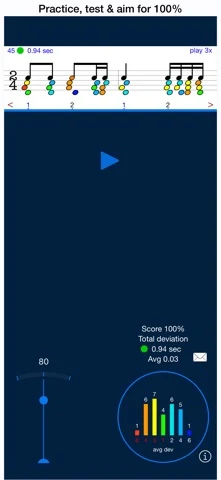
If you want to read sheet music more confidently, Rhythm Sight Reading Trainer gives you focused practice with the timing of the notes. Listen and tap along in practice mode, then use test mode to read the rhythm against the metronome. Color and position feedback help you spot early and late taps.
The app includes more than 200 fixed exercises on iPhone, with 100 longer exercises on iPad, plus thousands of random exercises. You can work on rests, ties, syncopation, swing, and tuplets, and edit exercises to concentrate on a difficult passage.
This is a paid iPhone/iPad app, rather than a completely free trainer. The current release requires iOS or iPadOS 26.6 or later, so it won’t suit older devices that cannot update. Microphone input and MIDI input are supported if you’d rather clap or use a compatible connected instrument than tap the screen.
4. Complete Rhythm Trainer
Google Play: View Price | Developer website: View Price
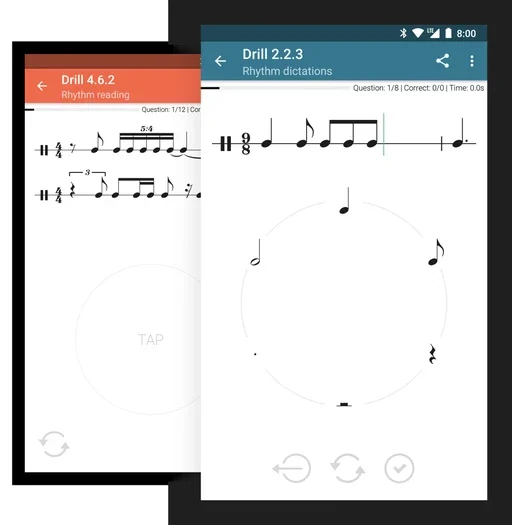
Complete Rhythm Trainer is a good choice if you prefer a planned course. Its 252 progressive drills are arranged across four levels and 30 chapters, taking you from basic note values to compound and asymmetric meters, swing, and more demanding subdivisions.
Most drills are randomly generated, so you can repeat a topic without simply memorizing the same answer. The five exercise types cover imitation, reading, dictation, two-voice reading, and two-voice dictation. There is also a dedicated polyrhythm section, custom drills, and teacher-created training programs.
The app is available for Android, iPhone/iPad, and Huawei devices. The first chapter of each mode is free to try; a one-time in-app purchase unlocks the full mobile version. Computer users can access its training through the separate Complete Music Trainer web/desktop suite. That suite has its own access terms, so a mobile unlock should not be treated as an unlimited desktop licence.
5. Polyrhythm – Poly Metronome
Google Play: View Price | iOS App Store: View Price
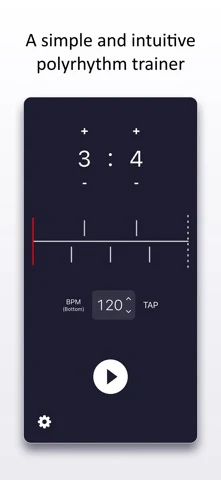
Learning simple rhythms is one thing; keeping two different groupings going together takes a different kind of practice. Polyrhythm lets you hear and see the relationship between two rhythmic parts, making patterns such as three against four easier to follow.
You can toggle individual beats to work on syncopation, choose sounds, adjust the two parts’ volumes independently, and set the tempo with the TAP control. Tap tempo sets the pulse; it does not identify or name a rhythm that you play.
This is a practice companion rather than a graded course that scores your performance. Use it like a metronome app: slow the pattern down, learn each part, and then try putting them together. The iPhone/iPad version is a paid download. The Android listing is called Polyrhythm – Rhythm Trainer and includes ads and in-app purchases.
6. Perfect Ear
Google Play: View Price | iOS App Store: View Price
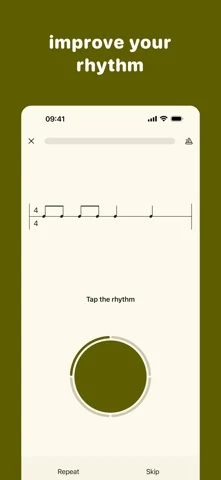
Perfect Ear combines rhythm training with broader musicianship exercises. It is useful if you want to work on your sense of time alongside intervals, chords, scales, singing, and note reading, rather than install a separate app for every subject.
Its rhythm exercises cover reading, writing, and imitation. There are also theory reference materials and custom exercise tools, which let you return to the patterns or topics you find difficult. The wider ear-training content makes it suitable for an ongoing practice routine, though a dedicated rhythm course may be easier to follow if timing is your only concern.
Perfect Ear is available on Android and iPhone/iPad. It is free to download, with additional exercise packs and features offered through in-app purchases. The iOS listing includes a separate rhythm exercise pack, so free access should not be confused with the entire exercise library. The current iOS version requires iOS 17 or later.
7. RhythmBot
iOS App Store: View Price
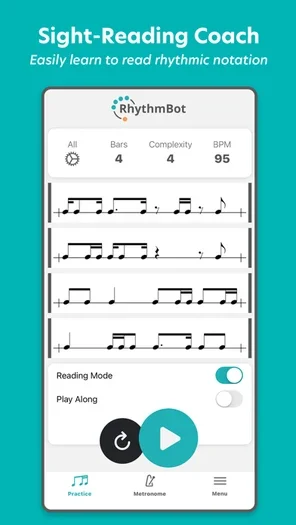
RhythmBot is an iPhone/iPad option for musicians who want to work on subdivisions and keep playing through new patterns. Its rhythm generator lets you set the difficulty and other parameters, so practice can follow the areas you need to improve.
Reading mode presents scrolling rhythms for sight-reading practice. Play Along mode measures the accuracy of your taps and your longest streak, and lets you revisit patterns you missed. This makes it a useful option when you want feedback as you play, rather than just a click to follow.
The basic metronome is free to download. RhythmBot Pro is required for sight-reading, Play Along, subdivision and time-signature controls, and several other training functions. Choose it for the paid training tools if those are your goal; downloading the free app alone does not unlock them. It requires iOS or iPadOS 15 or later and runs independently without a DAW.
8. 4four.io
Website: View Price
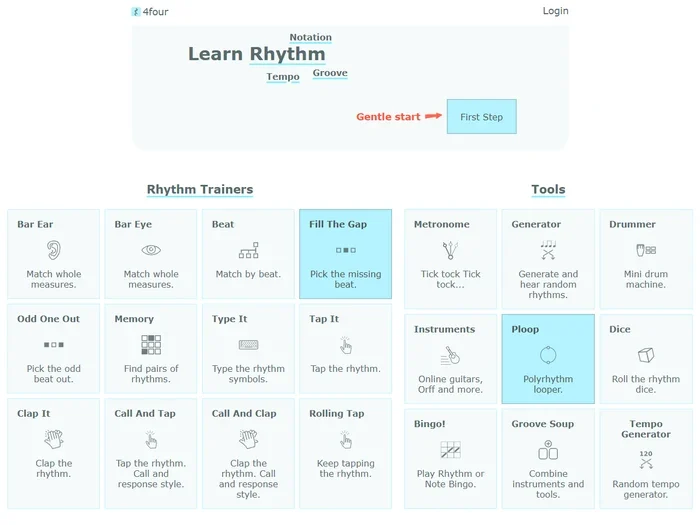
4four.io is a free rhythm learning platform that works in your computer or phone browser. Its straightforward menu gives you several ways to practice, including matching sounds to notation, finding a missing beat, typing rhythm symbols, and tapping patterns back.
The variety makes it easy to concentrate on one problem. Use Bar Ear for matching whole measures by sound, Tap It for playing a displayed rhythm, or the call-and-response trainers to listen first and answer afterward. You can also use its rhythm generator, metronome, and polyrhythm looper as practice tools.
The site is particularly approachable for beginners, but it gives you more to do than a single matching game. You can start with the browser exercises; signing in adds progress records and teacher-student connections. No plugin host or separate music software is required.
How to practice rhythm?

Practicing rhythms is very important for any musician. If you’re playing out of rhythm, your performance is going to sound bad, no matter whether you’re playing the right notes or not.
To get your tempo right, you should always start with the basics. This means practicing easy rhythms at a steady tempo before adding harder subdivisions or rests. This way, you can learn the basics easily and get them to stick in your head before moving on to the more complex stuff.
For other tips about rhythm practice, you can always slow the tempo to get the rhythm right and then gradually bring it back to the full speed needed to be played in a piece of music. Dividing the beat in your head when counting and practicing on different instruments is also a great way to learn how to keep your rhythm in every possible situation.
Summary
Rhythm training should be fun and easy, so don’t force yourself. Always use the tools available to improve your skills, especially the Internet that offers many great ways to practice.
There are many rhythm training methods, but you shouldn’t be too hard on yourself. Don’t forget that music is a way to express yourself – do not try to learn it as if it were an exam.
And if you don’t want to pay for apps, games, or lessons, you can always record yourself and listen back to get better and improve. Don’t be afraid of mistakes: instead, learn from them and use them to become a better musician!
Good luck!