The 10 Best Samplers for iOS and Android (2026)

Koala is the easiest starting point here for turning a phone recording into a beat. Choose Flip for deeper track automation, Loopy Pro for live looping, or a full mobile DAW when you also need vocals, MIDI instruments and a song arrangement.
These ten choices cover dedicated samplers, sampling synthesizers and DAWs with built-in sampling tools. Android and iOS support, paid upgrades and plugin hosting differ, so the platform labels matter as much as the feature list.
Contents
- 1. Koala Sampler (iOS & Android)
- 2. Flip Sampler (iOS & Android)
- 3. SunVox (iOS & Android)
- 4. Loopy Pro (iPhone & iPad)
- 5. BLEASS SampleWiz 2 (iPhone & iPad)
- 6. BandLab (iOS & Android)
- 7. Roland Zenbeats (iOS & Android)
- 8. FL Studio Mobile (iOS & Android)
- 9. BeatMaker 3 (iPad)
- 10. Steinberg Cubasis 3 (iOS & Android)
- Why Musicians Use Mobile Samplers
- Conclusion
1. Koala Sampler (iOS & Android)
Get it on: Google Play | App Store (Apple)
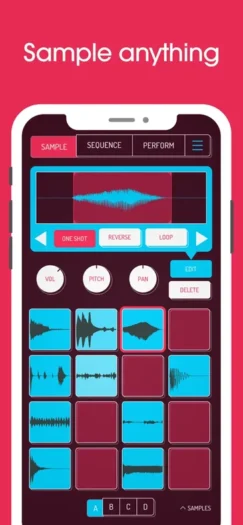
Koala Sampler: Koala is my first choice for quickly recording a sound and turning it into a beat. Capture audio with the microphone, import a file, trim the sample and play it from the pads. The straightforward interface and real-time effects make it easy to try an idea without building a complete studio first.
A street sound, a bird call or a short vocal phrase can become a drum hit or a pitched instrument. Koala can resample its own output, sequence your pads and export a finished loop or track as WAV. These are useful building blocks for making a track from recordings rather than relying only on a preset library.
Koala is a paid app. Samurai is a separate upgrade for features such as time-stretching, the piano roll and automatic chopping; Mixer is another add-on for bus mixing and extra effects. On iOS, Koala can run as AUv3, while hosting other AUv3 plugins requires Mixer. Android has no AUv3 hosting, and an iOS purchase does not automatically cover Android.
2. Flip Sampler (iOS & Android)
Get it on: Google Play | App Store (Apple)
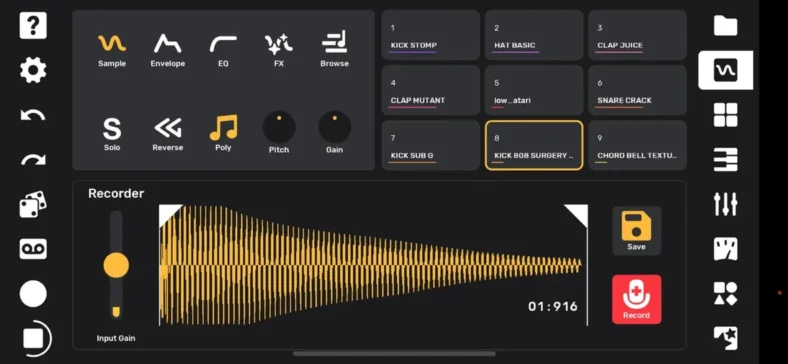
Flip Sampler: Flip is a nine-track sample-based studio for sequencing, automation and live performance. Record through the microphone or an interface, or import your own sounds. Each sound can be played from a pad or across a keyboard, then arranged with the piano roll.
Koala feels more immediate for a basic pad-sampling idea; Flip gives you a more structured set of track, arrangement and performance controls. Its automation lanes can have different lengths, which is useful for a filter or other parameter that keeps shifting against the main pattern.
Flip is a paid standalone app on both mobile platforms. It can export a mix and separate stems, and Ableton Link helps sync it with other compatible software. The old iOS sample-pack shop has closed, but that is separate from the app itself; you can still import your own sounds.
3. SunVox (iOS & Android)
Get it on: Google Play | App Store (Apple)
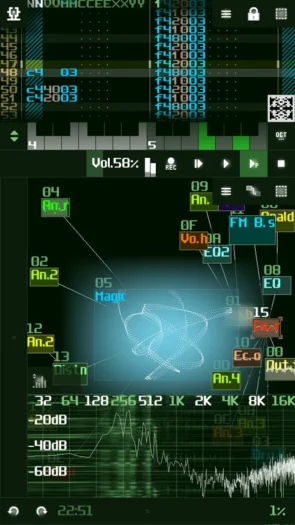
SunVox: SunVox is the modular option for turning samples into instruments and arranging them with a tracker. Connect a sampler, synths and effects as modules, then trigger them from patterns. It is a good fit if you liked the virtual-rack approach of older mobile studios and want deeper routing.
SunVox 2.1.4d supports real-time sample recording, several sample formats, MIDI and multitrack WAV export. You can build an instrument from a field recording, combine it with synthesis and process it through a custom effects chain. The tracker takes more learning than Koala’s pads, but it gives you detailed control over notes and events.
The iOS and Android apps are paid purchases, even though most desktop versions are free. It runs standalone on both mobile platforms; the iOS version can also work as an Audio Unit instrument or effect in a compatible host. Choose the mobile store edition for your device rather than an old APK or desktop download.
4. Loopy Pro (iPhone & iPad)
Get it on: App Store (Apple)
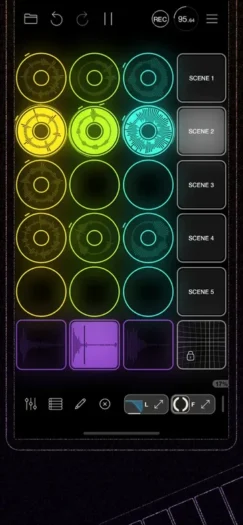
Loopy Pro: Loopy Pro is the best fit here for building a live set from recorded loops and one-shot samples. Record a phrase, layer another part and trigger clips from a layout you can customise. It suits a beatboxer, singer or instrumentalist who wants to perform the arrangement as well as prepare it.
The app combines looping, clip launching, MIDI sequencing, audio routing and AUv3 hosting. You can use it as a standalone performance studio or bring compatible instruments and effects into your setup. MIDI controllers and audio interfaces help turn it into a hands-on live rig.
Loopy Pro 2 offers a seven-day trial on iPhone and iPad. The full unlock is a one-time purchase with a year of new feature updates; later feature upgrades are optional and you keep the features you bought. It is not a permanently free app or an Android app.
5. BLEASS SampleWiz 2 (iPhone & iPad)
Get it on: App Store (Apple)
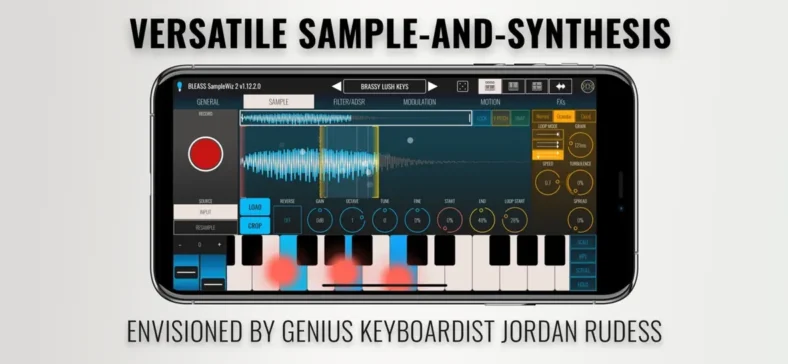
BLEASS SampleWiz 2: BLEASS SampleWiz 2 is for creating a playable instrument from a recording. Its granular and cloud engines let you turn a voice, an instrument note or an everyday sound into sustained textures. It is more of a sampling synthesizer than a pad-based beat studio.
Capture or import a sound, set its playback and loop points, then shape it with envelopes, modulation, filtering and effects. Expressive MPE control and the arpeggiator make it useful for performing the result, while the touch interface lets you explore pitch and texture directly.
The iOS app is paid, with optional preset expansions. It works standalone and as an AUv3 instrument/effect in a compatible iOS host. BLEASS also sells separate desktop plugin editions; a desktop VST3/AU offer is not a substitute for the iPhone/iPad purchase.
6. BandLab (iOS & Android)
Get it on: Google Play | App Store (Apple)
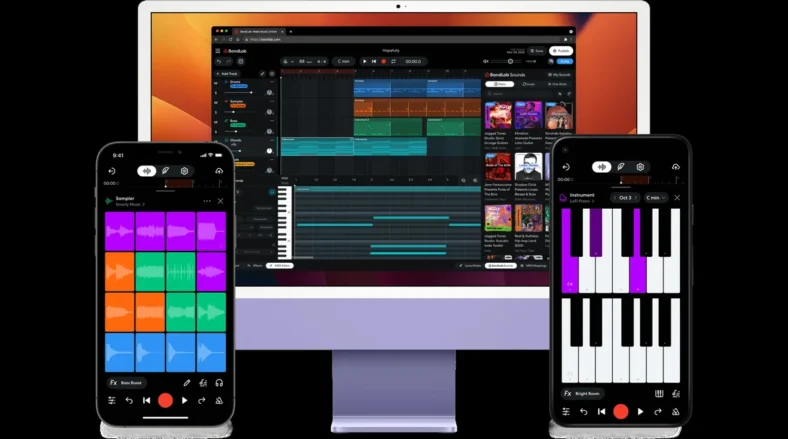
BandLab: BandLab is the free starting point for sampling inside a complete mobile recording project. Its Sampler lets you build a 16-pad kit by recording sounds, importing files or choosing samples. You can then combine the kit with audio tracks and MIDI instruments in Studio.
This makes it useful for collaborating on a song that includes more than sampled drums. Record a vocal or guitar part, build a rhythm from your own sounds and share the cloud project with another musician. It is a broader production environment than a dedicated sampler.
The core Studio and basic Sampler are free, while Membership adds premium tools and sounds. AutoSlice, which automatically divides a sample across empty pads, requires Membership. The basic recording, import and pad workflow is useful without that upgrade.
7. Roland Zenbeats (iOS & Android)
Get it on: Google Play | App Store (Apple)
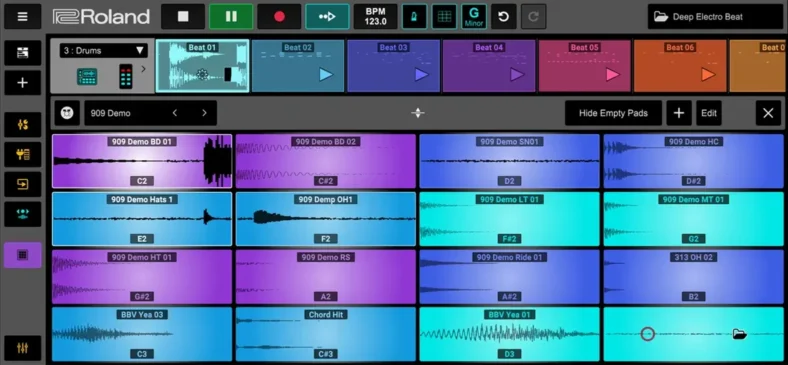
Roland Zenbeats: Zenbeats suits producers who want sampling alongside Roland-style drums, synthesis and a song timeline. Its ZR1 Drum Sampler can record or import sounds to pads, with editing and sequencing tools for turning them into a kit.
You can work with loops in LoopBuilder or build a longer arrangement in Timeline. The ZC1 synthesizer and built-in effects provide other parts around the samples, making Zenbeats a complete music app rather than an isolated sampling instrument.
The free version provides production essentials, but Roland places ZR1 sampling/editing and the full instrument, effects and export set in its unlock offerings. Platform Unlock covers one platform; Max Unlock covers the full set across platforms, and Roland Cloud membership is another route. AUv3 hosting is for iOS, while desktop VST/AU support does not carry over to Android.
8. FL Studio Mobile (iOS & Android)
Get it on: Google Play | App Store (Apple)
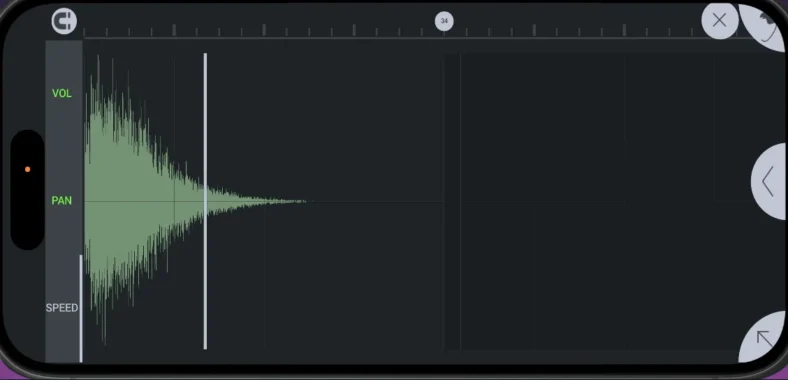
FL Studio Mobile: FL Studio Mobile 5 is a complete mobile DAW with sample-based instruments and loop slicing. DirectWave plays sampled sounds, while Slicer maps pieces of a loop to notes. You can combine these parts with recorded vocals, synthesis, automation and effects.
The piano roll and song arrangement make it useful when your sampled part needs to sit inside a full production. For example, you can sequence a chopped vocal, add drums and bass, then mix the result in the same app. It is less immediate than a dedicated pad sampler, but offers more surrounding production tools.
The mobile app is a paid purchase; its included instruments and effects are separate from optional sound packs and presets. Mobile 5 also provides free sounds through FL Cloud, with its larger catalogue requiring a separate plan. The app does not unlock desktop FL Studio. It supports FLP export for continuing in a separately licensed desktop copy, and can also export audio or MIDI for use elsewhere.
9. BeatMaker 3 (iPad)
Get it on: App Store (Apple)
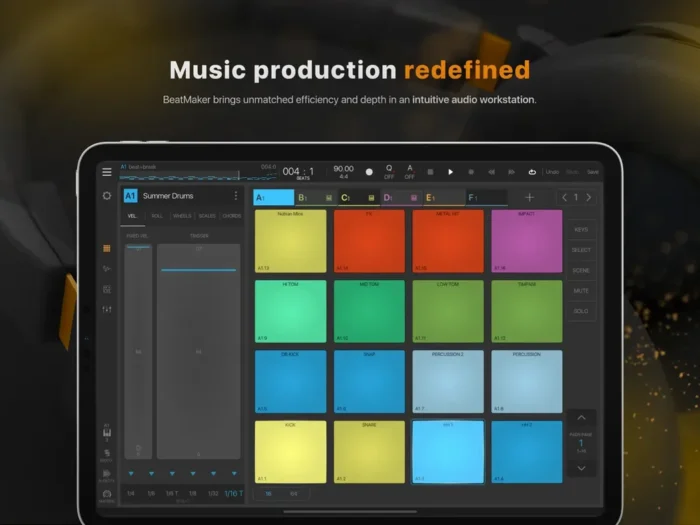
BeatMaker 3: BeatMaker 3 is the iPad option for building detailed, layered sample instruments and arranging full tracks. Its pad-based workflow combines recording, chopping, resampling and modulation, with a sequencer and mixer around the sampling engine.
Each pad can hold an instrument rather than only a simple one-shot. You can build layered sounds, time-stretch loops, use scenes for performance and arrange patterns on the timeline. AUv3/IAA hosting lets you bring compatible iPad instruments and effects into the project.
BeatMaker 3 is a paid iPad app, with optional sound packs. It is not an iPhone or Android app. Check the current App Store requirements for your iPad; the latest listing requires iPadOS 11 or later. Its depth is useful for a complete production, but involves more setup than a quick Koala sketch.
10. Steinberg Cubasis 3 (iOS & Android)
Get it on: Google Play | App Store (Apple)
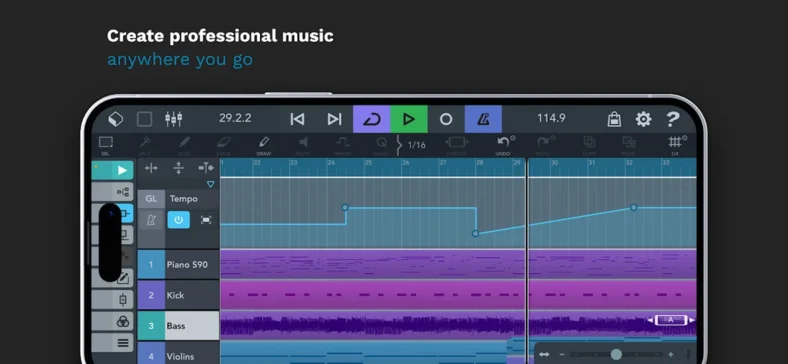
Steinberg Cubasis 3: Cubasis 3 is a conventional mobile DAW whose MiniSampler lets you create instruments from your own samples. Choose it when the sampled part is one element of a larger audio and MIDI arrangement, rather than the entire workflow.
MiniSampler is included alongside MicroSonic, Micrologue, audio recording, MIDI editing and the mixer. Time-stretching and pitch-shifting help fit loops into the track, and automation lets you refine levels and effects throughout the arrangement.
The full Cubasis 3 app is paid on iOS and Android, with optional instruments and effects sold in the app. It is separate from desktop Cubase and the limited LE/trial editions. MiniSampler is available on Android as well as iOS; AUv3 hosting is an iOS feature, and external hardware compatibility differs by platform.
Why Musicians Use Mobile Samplers
A mobile sampler lets you record an idea where it happens and turn it into something playable. Dedicated pad samplers are quickest for chopping and triggering sounds. Sampling synthesizers are better for stretching one recording into an instrument, while a DAW gives you audio tracks, MIDI editing and a mixer around the sampler.
For live use, check MIDI control, audio-interface support and the way the app exports or shares projects. AUv3 is an Apple plugin format, so an iOS hosting feature does not imply Android support. Keep backups of your projects and samples before moving them between devices.
Conclusion
Start with Koala for fast sampling or BandLab for a free song-production environment. Flip offers detailed automation, SunVox brings modular routing, and Loopy Pro is built around live looping. For a full arrangement, compare FL Studio Mobile, Zenbeats, BeatMaker 3 and Cubasis around your device and the features included in the exact purchase.