The 10 Best Metronome Apps for iOS and Android (2026)
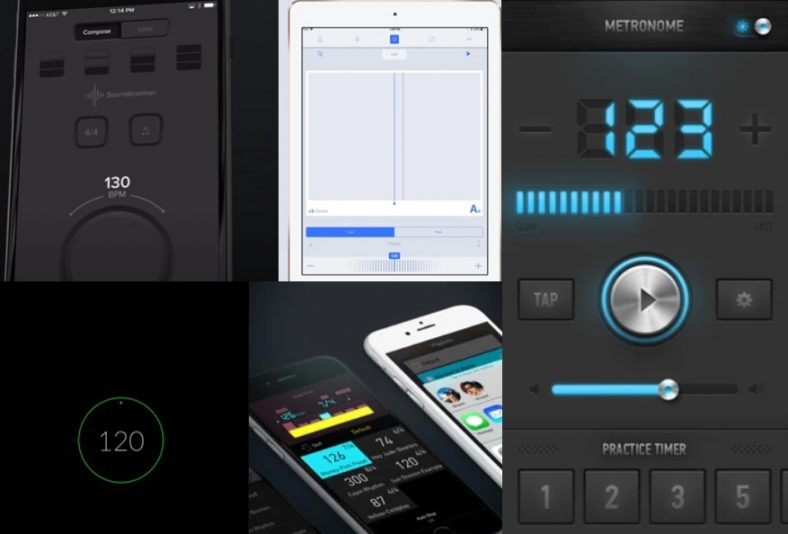
Whether you’re looking for an easy-to-use metronome app with basic features, or you want something that has much more advanced rhythm training options, then this is the article for you!
The best metronome apps are built with ease of use in mind. Mainly because you want to quickly change settings while you’re playing an instrument. This helps them to get out of your way so you can focus your creative energy on playing and practicing!
However, other metronome apps, build on this greatly by having a lot of extra cool features which can help a lot to improve your rhythm. So, it’s also worth checking these out! For a simple free click, try Simple Metronome on Android or Pulse on iPhone. Soundbrenner works on both platforms without requiring a wearable. For more detailed rhythm training, compare Pro Metronome, Metronomerous and Tempo Advance. Some apps have paid upgrades or subscriptions, so check the features you need rather than assuming that a free download includes every mode.
Contents
1. Soundbrenner: Metronome App
Get it on: Google Play | App Store (Apple)
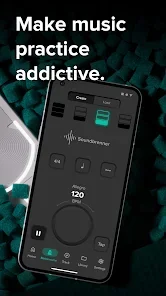
Soundbrenner put a lot of effort into making a really great metronome. In fact, I think it was a very good move, as it really helped to push their brand image and sell more of their vibrating metronomes!
The great thing about this app is that you don’t actually need to buy one of their wearable metronomes to make this app work. The intuitive interface of this app alone makes it worth considering.
The core metronome is free, with adjustable tempo, accents and subdivisions. You can save songs and setlists, while Soundbrenner Plus adds paid features such as cloud backup and synchronization of your library. It works on Android 10 or later and iOS/iPadOS 16 or later. You do not need a wearable to use the app; a Plus subscription and a hardware purchase are separate choices.
2. Metronome Beats
Get it on: Google Play | Metronome Beats Pro (iOS)
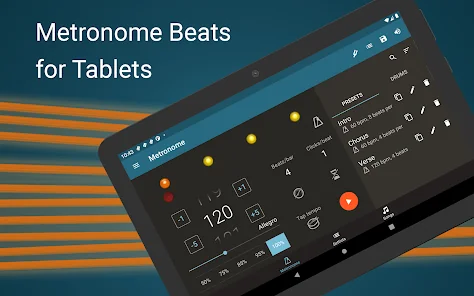
Metronome Beats is a handy, quality-made app that’s easy to use and has tons of nice features. You can use it both as a metronome during playing or as a trainer app, as it has those functions built-in.
You can pick different tempos and subdivide the bar up to 16 times. This app is free, but you can always get a Pro version which is a separate app and it has additional features.
It’s ad-free and you can save your playlists if you need more metronome sets in your playlist. The basic Android app is free with ads, and Metronome Beats Pro is a separate paid version. The iOS destination below is Metronome Beats Pro, so do not assume that it has the same free entitlement as the basic Android app.
3. Pro Metronome
Get it on: App Store (Apple)
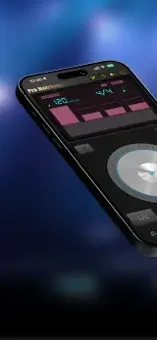
Pro Metronome is available for iOS and Android, with a free download and an optional paid Pro upgrade. Its basic tools include tempo control, accents and tap tempo. The iOS version also includes a basic tuner and supports iPhone, iPad and Apple Watch.
Subdivisions, polyrhythms, programmable playlists, Rhythm Trainer, Stage Mode and automatic tempo changes are among the Pro features. The upgrade terms can differ by platform; check the in-app purchase screen rather than assuming that all features are free or that the purchase is always a monthly subscription.
The Rhythm Trainer can mute selected bars so you keep the beat yourself before the click returns. That makes this a useful choice for practicing internal timing, while Stage Mode and playlists suit players who need several tempos ready for a rehearsal or performance.
4. Metronome Ϟ by ONYX Apps
Get it on: App Store (Apple)
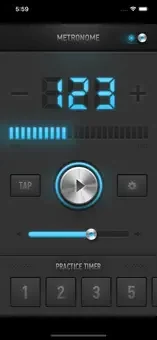
ONYX Apps’ Metronome Ϟ, also called MetroTimer in its description, combines an audible click with visual feedback and a practice timer. It is available for iPhone and iPad. The clear display and tap-tempo controls are useful when you want to change settings quickly during practice.
The basic app is free to download. Its in-app Metronome Pro upgrade adds custom time signatures, accents, subdivisions, an interactive beat editor and presets. Check the current purchase terms if those are the features you need.
For everyday practice, start with the free version and decide whether you need custom meters or saved presets. You can keep a regular pulse visible while working through a scale, or use the practice timer to keep track of each session.
5. Simple Metronome
Get it on: Google Play
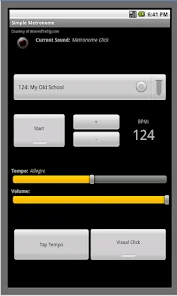
Sometimes you don’t need tons of fancy features, but just a simple, free metronome app that will do its job quietly and precisely. Simple Metronome is exactly that – an app that’s easy to use and doesn’t have tons of fancy features, but is stable and does what it does best.
This is a completely free app, without any options for upgrade. It’s available only for Android and there are no ads whatsoever.
It’s really precise and has several nice features, without having your permission for anything other than power management to keep your screen on for a longer period of time if you want it to. This is a truly no-nonsense app perfect for anyone looking to have a quality made metronome app on their phone.
6. Pulse metronome
Get it on: App Store (Apple)
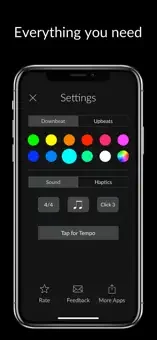
If you’re an iOS user and want a simple, effective, and free metronome like the Simple Metronome for Android, then Pulse is your option.
It’s easy to use, very user-friendly metronome app that can be used on all iOS devices such as iPhones ar Apple Watch.
All you need to do with this app is to turn it on, set BPM, and choose how you want the app to play it to you. You can choose from standard sound, or animation, or even only vibrations for your apple watch.
7. Metronomerous – pro metronome
Get it on: Google Play
This is one of the more advanced metronomes on the list. It includes lots of different subdivisions and accents, different options to set your tempo, and lots of other features.
This one would be particularly good for drummers, or anybody that really needs to work on much more complicated areas of rhythm.
You do need a pretty basic knowledge of musical notation, but it would not require a particularly complex amount of knowledge in this area.
8. Metronome+
Get it on: App Store (Apple)
Metronome+ is a free app, available only on iOS (iPhone, iPad), that has in-app purchases to unlock all of the features. In it, you will find not only a metronome but several other options as well.
Apart from the metronome, you will find a recorder and a loop machine. Also, there is a chromatic tuner and you can set your setlists and pitch player with it. The download is free, but an in-app purchase unlocks the full set of modes. If you want its recorder, loop tools or other extras, check the unlocked feature list before relying on them for a practice session. This is Metronome+ by Dynamic App Design; similarly named metronomes from other developers are separate apps.
9. Metronome M1

Get it on: Google Play
Metronome M1 by JSplash Apps is an Android option for players who want a clear beat display and straightforward tempo controls. The app lets you choose a time signature and subdivisions, tap in a tempo and use visual bars to follow the beat.
Its progressive tempo feature can increase the BPM after a chosen number of bars. That is useful when you want to build speed gradually through a scale, drum exercise or difficult passage rather than stop repeatedly to change the tempo yourself.
The Android download is free, with ads and in-app purchases. Check the current premium feature list if you need more than the basic click. It is a useful choice when you want an Android metronome with a gradual speed-building routine.
10. Tempo Advance

Get it on: App Store (Apple)
Tempo Advance by Frozen Ape is a paid metronome for iPhone and iPad, aimed at musicians who want detailed subdivisions, polyrhythms and setlists. Its two-channel Polyrhythm Mode lets you compare meters with different numbers of beats per measure, synchronized at the bar.
You can assign accents or silence individual beats, save rhythm patterns and organize songs into setlists. Automatic tempo changes and setlist advancement are useful for rehearsing a song with several sections or building speed through an exercise.
This is a paid standalone app for iPhone and iPad. Version 2.5 adds native iOS 26 support. It suits players who want to program an extended practice routine or work on several interacting rhythms; check its compatibility with the device you plan to use.
Summary
I hope that this list has helped you narrow down your search for the metronome app. You can choose from so many different apps but these are sure to fulfill your needs in any way you might need them to.
Whether you’re a professional musician looking for a trusted tool for your everyday work, or a beginner trying to learn the basics of music, metronome apps will help you learn and grow easily and will always be with you in your pocket.
For a basic click, keep the interface simple. If you need polyrhythms, gradual tempo changes or setlists, choose an app that includes those specific practice features and check whether they require an upgrade.