How to Convert MIDI to Sheet Music (Free and Paid Options)

Thinking about converting a MIDI track to sheet music? Open the .mid file in a notation program, check how it has written the rhythms and split the parts, then export a PDF to print or share.
You can do this for free with MuseScore Studio, use Sibelius for a larger notation project, or try LilyPond if you prefer to work from the command line.
If the MIDI came from a live performance, expect to clean up a few bars before handing the score to another player.
The notes and their timing give the program something to work from. The key signature, note spelling and page layout may still need attention.
In Logic Pro for Mac, open the MIDI region in the Score Editor. Use the Region inspector’s display quantization to tidy the written rhythm while keeping the original performance timing. REAPER also has a musical notation view in its MIDI editor.
A score editor gives you room to clean up the notation before you print it. Here are three desktop options.
Contents
1. Sibelius

Avid’s Sibelius, named after the Finnish composer, is a notation program that can open MIDI files and turn the notes into an editable score.
Choose File > Open and select the .mid file. In the import dialog, check the notation settings. A minimum note duration that is too long can hide fast notes. For a piano part, check how the notes are divided between the two staves.
This makes composing much easier, as you can create simple melodies in MIDI format and then convert them automatically to the notation sheet. These can then further be used for any instruments you wish, enabling you to experiment easily.
Try the free desktop edition, Sibelius First, for a score that fits its four-staff limit. Sibelius Artist and Ultimate are paid editions for larger scores, available as a subscription or a perpetual licence. Use the Windows or Mac desktop application for MIDI import. The mobile edition imports MusicXML.
2. MuseScore Studio
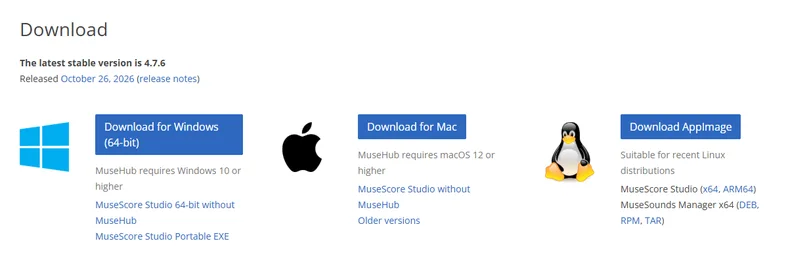
MuseScore Studio is a free notation editor for Windows, macOS and Linux. Choose File > Open and select your MIDI file. If the score is full of tiny rests or ties from uneven playing, try changing the shortest note value for MIDI files in Preferences > Import, then reopen the file and compare the result.
3. LilyPond
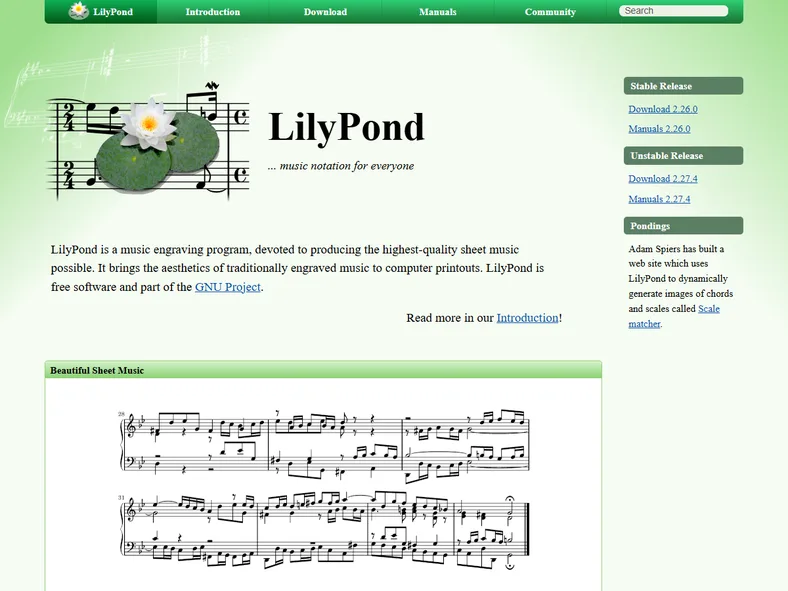
LilyPond is a free notation program that works with plain-text score files. The stable desktop release is available for Windows, macOS and Linux. Its midi2ly tool is handy for a clean Type 1 MIDI file, particularly if you already know how to edit LilyPond notation.
Run midi2ly sketch.mid in a terminal, check and edit the resulting .ly file, then run lilypond sketch.ly to make a PDF. LilyPond’s manual cautions that a loosely played MIDI performance or overlapping notes in an arpeggio can convert poorly. A notation editor with a visible score is easier to work with in that case.
What is MIDI?
MIDI is a computer information protocol that has been an industry standard for almost 40 years. It has been used since its creation as the main protocol for taking information from electronic instruments and converters to the computer, where that information is converted into music. It has become the industry standard and has been used widely in modern music.
But, if it is used in the music industry so widely, it’s expected that turning it to sheet music to be played by human musicians should be quite easy and a normal process, right? Well, here we come to the main problem of turning the MIDI signal into sheet music.
A MIDI file can carry pitches, timing, tempo and even key or time signatures if the exporting program wrote them. It gives the notation editor the notes of an arpeggio, for example, but leaves decisions about how to spell or group those notes on the page.
Issues with Converting MIDI to Sheet Music
Of course, you should always keep in mind that when you convert MIDI music to notation sheets, you won’t get everything you need. This means that, yes, you will get a rough translation of MIDI music, but the quality of results may vary.
Before you export, listen back while looking at the score. Check the key and time signatures, which staff each part landed on, and whether rests and ties make the rhythm harder to read. A short note just before a beat might need to be aligned with that beat in the score.
If you recorded a part in real time, try a short section first. Use the shortest value you actually played as a starting point. For a simple melody in eighth notes, try eighth-note quantization, then check any passages with sixteenth notes or triplets separately. Keep your original MIDI file so you can return to the performance timing.
In MuseScore Studio, choose File > Export and select PDF for a printable score. Choose MusicXML if someone needs to open and edit the notation in another score editor. Before you share it, have someone read through a few bars, especially where rhythms, key signatures or parts change.
Conclusion
If you work with MIDI instruments as a main type of music composing, then you should think about using MIDI to sheet music converters. Of course, it’s not automated fully, and you do need to look out for certain things. If you know how to overcome those difficulties, then these are great tools to use.