The 10 Best Music Notation And Composition Software (2026)

Music notation software has made the composition process a lot easier, allowing you to digitally create, edit, and print sheet music easily.
Music writing software can help you compose, arrange, and prepare parts for other musicians. Dorico Pro 6 is my pick for detailed engraving and larger scores, Sibelius Ultimate suits composers who need its established notation workflow, and MuseScore Studio is the strongest free starting point here.
Choose notation software for readable scores and printed parts. If your main goal is recording and mixing audio, you may be better served by a digital audio workstation. MIDI and MusicXML can help move work between programs, but imported scores still need checking.
Contents
1. Dorico Pro 6
(Windows/Mac; a separate Dorico app is available for iPad)
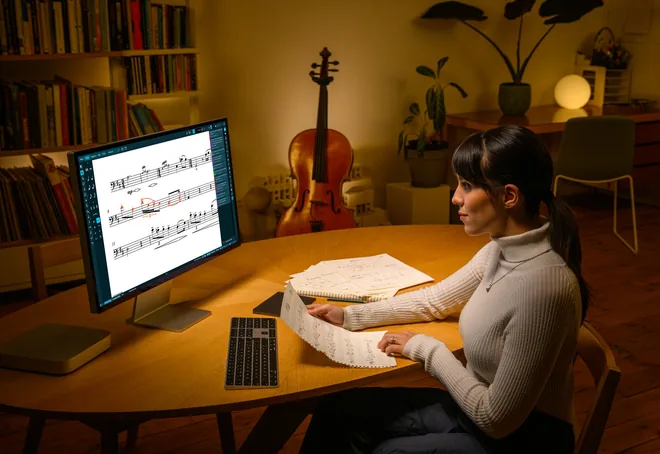
Dorico Pro 6 is made by Steinberg, the maker of Cubase and the VST plugin standard. It is a strong choice for composers who need to produce both full scores and clean individual parts.
Its automatic engraving handles much of the spacing and layout while you write. You can then refine page layouts, manage players and instruments, and use the piano-roll-style editor to shape playback without changing the written notation.
Dorico Pro 6 adds features such as proofreading and cutaway-score tools. Pro is the edition to consider for detailed publishing work; the simpler Elements and free SE editions serve different needs. Dorico for iPad has its own feature and purchase arrangements, so the desktop Pro licence should not be confused with the iPad app.
The buying link is for the full Pro 6 licence. Upgrades, educational licences, and crossgrades are separate products and require eligibility. Check those requirements if you are moving from Finale or buying your first notation program.
- Automatic engraving and detailed page layout
- Playback editing alongside standard notation
- MusicXML and MIDI interchange
- A substantial learning curve for advanced projects
2. Sibelius Ultimate
(Windows/Mac; Sibelius for mobile is a separate app)
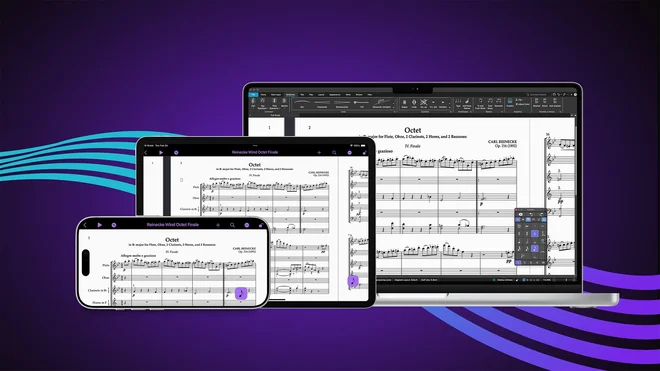
Known for its templates and familiar notation workflow, Sibelius Ultimate can help you prepare anything from a small arrangement to a full orchestral score.
The product family includes free Sibelius First, the more limited Artist edition, and Ultimate. First is for small scores; Ultimate provides the broader engraving, layout, and part-preparation features. Choose the edition for the size and detail of your work rather than assuming every Sibelius licence includes the same tools.
The linked product is a full perpetual Ultimate licence. A perpetual licence lets you keep using the version covered by that licence. Future updates and support depend on its included update plan, which can require renewal; a subscription instead depends on continued payment. Subscription renewals are not suitable for first-time buyers. Existing users should also check whether a proposed purchase is an upgrade or a new licence.
- Easy to use and enter notes
- Easy composition sharing
- Detailed score and part formatting
- Free First and limited Artist editions are also available
3. Guitar Pro 8
(Windows/Mac)
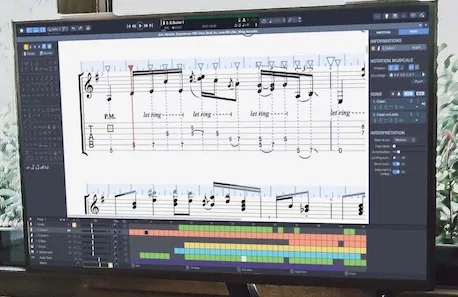
Guitar Pro 8 is particularly useful if you write guitar or bass parts and want standard notation and tablature in the same project.
The multi-track editor supports fretted instruments as well as other ensemble parts. You can play back an arrangement, slow difficult passages, and use the score as a practice tool instead of keeping notation and rehearsal files separately.
Guitar Pro 8 can import an audio track alongside your score, which is helpful when transcribing or working from a rough recording. It does not automatically turn every recording into an accurate score; you still need to enter and check the notes.
Its tab-focused workflow is the attraction. For demanding orchestral engraving and elaborate page layouts, Dorico Pro or Sibelius Ultimate is the more natural choice. The Sweetwater link is the full Guitar Pro 8 product, not an upgrade or mySongBook subscription.
- Standard notation and tablature together
- Multi-track playback and practice controls
- Useful for guitar-led arrangements
- Less suited to complex publishing work than the leading engravers
4. MuseScore Studio (Free)
(Windows/Mac/Linux)
Available free on Windows, macOS, and Linux, MuseScore Studio is a top choice for many music writers and composers.
That’s just the start – its easy access to input tools and in-depth information on the notes make it even better. It also allows you to import MIDI and MusicXML files. Playback sounds can help you hear the arrangement as you work. The desktop notation program is free; optional sound purchases and the separate MuseScore.com sheet-music service should not be confused with the editor.
- Free download
- Easy to use
- Easy import/export
You can use the desktop application without paying for a MuseScore.com subscription. Download MuseScore Studio from the official site, then choose additional playback sounds only if you need them.
5. Noteflight
(Online)
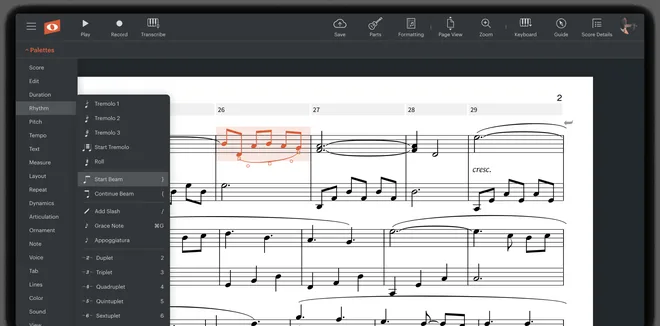
Noteflight is a user-friendly music notation program that provides a smooth performance. It is suitable for both songwriters and composers and offers various features that allow customization. The program is compatible with devices like iPhones, Windows, and Android.
Noteflight provides an online platform allowing users to share their compositions and share arrangements with other users. Its compatibility with learning systems like Google Classroom makes it an advantageous tool for students and educators.
Noteflight has a free version for basic notation and a limited score collection. You need a paid subscription for unlimited access and a set of premium tools for notation, editing, and playback. Additionally, the program has an online community that facilitates discussions among its users.
- Browser-based notation and sharing
- Easy sharing
- To get ‘unlimited’ features, you need a paid subscription or lifetime license.
Premium supports an unlimited score collection and additional playback and notation features. Noteflight Learn is the education offering, with classroom features; it is a different purchase from an individual Premium account.
6. Fender Notion
(Windows/Mac/Linux/iOS/Android)
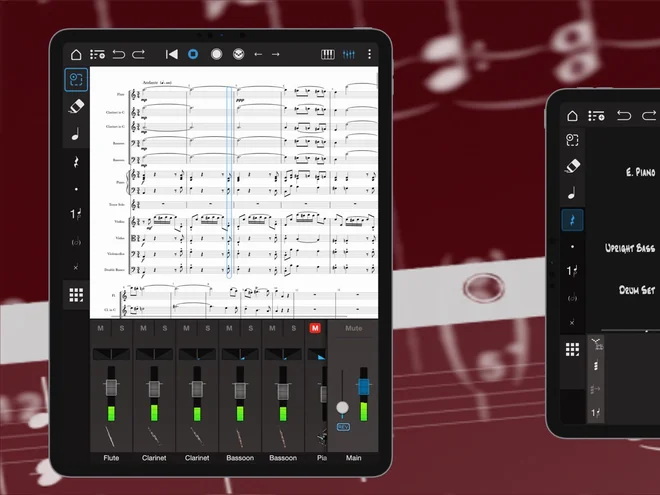
Fender Notion is the current cross-platform notation app, formerly called Notion Mobile. It is the version to consider for a new installation.
You can enter notes using the on-screen tools or MIDI and move scores between supported devices. It also exchanges note data with Fender Studio Pro, which is useful if you compose in notation but finish the recording in a DAW.
The core app is free. Additional features and sounds require an eligible Feature Bundle purchase or Fender Studio Pro+ membership. Unlock arrangements vary by platform, so free does not mean every optional feature is included.
Existing Notion 6 users can open .notion files in Fender Notion or export MusicXML to another notation application. Notion 6 is no longer sold as a new desktop product; do not buy an old retailer listing expecting a current supported release.
- Free core notation app
- Score work across desktop and mobile devices
- Integration with Fender Studio Pro
- Some features require a separate unlock
7. Flat
(Browser; mobile apps are also available)
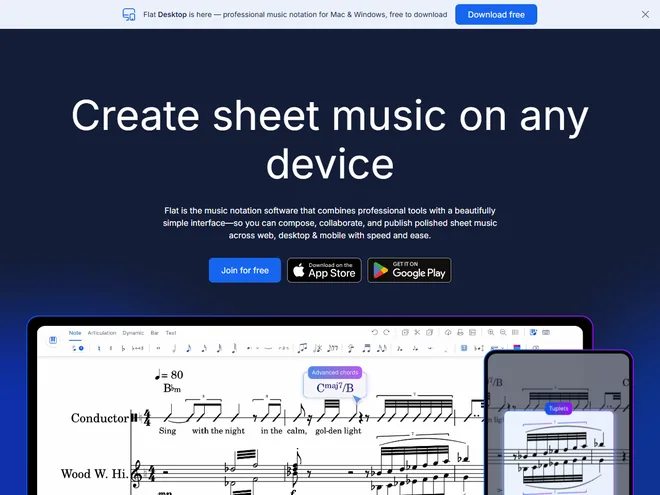
Flat is a practical option for composing online and working with other musicians on the same score.
Its browser editor supports note entry, playback, sharing, and real-time collaboration. This makes it useful for group arrangements when collaborators do not all have the same desktop notation application.
The free account includes core notation tools and a limited score collection. Flat Power provides additional features and a larger working library. Flat for Education has separate classroom and account-management tools, so choose the plan that matches how you will use it.
A browser workflow is convenient for sharing, but check its engraving and export options against a representative score before moving a large project. For fine page-layout control and more demanding notation, a desktop engraver may suit you better.
- Real-time score collaboration
- Useful across different computers
- Free tier available
- Advanced tools depend on the plan
8. QuickScore Elite Level II
(Windows)
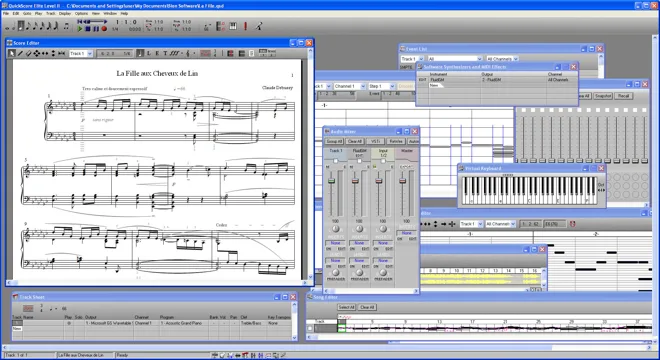
The QuickScore Elite Level II allows for unique audio and MIDI editing to give the users room for creativity. It combines score editing with MIDI and audio tools, including support for VST instruments.
The QuickScore Elite is great for recording, synchronization, playback, and audio mixing, which makes it a creative hub for all kinds of music notation and alterations.
- Extensive editing options
- Easy edit and record
This is a traditional Windows program, so try the developer’s demo with your actual computer and plug-ins before buying. An older program’s VST support does not automatically mean compatibility with current VST3 instruments or every modern audio setup.
9. MagicScore Maestro 8
(Windows)
MagicScore Maestro is another writing software application with a good arsenal for notation, editing, and composing.
It also offers virtual piano for note entry, editing velocities, and many templates. MagicScore Maestro 8 also contains shortcuts for easy accessibility. You can either buy the full software license for lifetime access or subscribe monthly, quarterly, or annually.
- Save scores to Audio Files
- Fast input tool
MagicScore remains a Windows-focused choice for entering, playing, and printing scores. The developer offers a demo, which is worth trying with your own notation and export requirements before committing to a full licence or subscription.
10. Denemo (Using LilyPond)
(Windows/Mac/Linux)
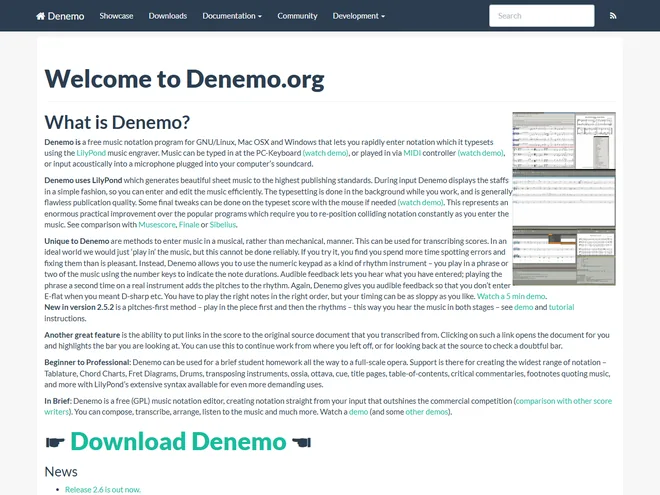
Denemo is a free music notation software that works with LilyPond music engraver to enter notation and transcribe scores quickly.
You can enter music using a computer keyboard or MIDI controller, with acoustic input also available. Denemo uses LilyPond to typeset the result. These input methods still require you to check pitches, rhythms, and notation; it is not a reliable automatic transcription service for arbitrary recorded music.
- Free to use
- Great score transcription
- Useful for beginners as well as veterans
Its entry and typesetting workflow differs from visual drag-and-drop score editors. That can appeal to musicians who want LilyPond output without writing every command themselves, but it takes time to learn.
Limitations of Music Writing Software
Music notation software can speed up note entry and prepare readable parts, but it cannot decide whether the music is playable or the notation is correct. Check instrument ranges, transpositions, page turns, and the layout of individual parts before sharing a score.
Keep in mind that music notation and composition software are reliant on your musical skills to some degree. While these tools can simplify the process of creating and editing music, they still require an understanding of music theory.
Summary
Music notation and composition software programs can be useful tools for composers to write and organize their musical ideas. These programs offer features such as easy navigation, note-entry tools, and editing options that can aid the composition process. While some of these programs may have a high price tag, they can be worth the investment if you are committed to music writing.
For detailed publishing work, start with Dorico Pro 6 or Sibelius Ultimate. Guitar Pro 8 is the more focused choice for tablature, while MuseScore Studio gives you a capable free desktop editor. Noteflight and Flat suit online sharing, and Fender Notion is useful when you move between notation and a recording workflow.