The 15 Best Lyrics Apps for iOS and Android (2026)

Lyrics apps save you time searching the internet by keeping the words on your phone. Some explain a song’s meaning, while others scroll the lyrics as you listen, show guitar chords, or help you practice karaoke.
Genius is a good starting point for song meanings, while Musixmatch suits listeners who want synced and translated lyrics. The apps below cover several different uses:
- Karaoke mode
- Showing lyrics with guitar chords
- Annotations (which explore songs in more detail and give you interesting information about the song and/or artist)
- Song detection tells you what song you’re listening to
Here are 15 lyric apps for iOS and Android. Platform links are listed for each app; some choices are Android-only or iOS-only. Free downloads may include ads, subscriptions, or paid features, and lyric coverage varies by song.
Contents
- 1. Genius
- 2. Shazam
- 3. SoundHound
- 4. Musixmatch
- 5. Ultimate Guitar: Chords & Tabs
- 6. Guitar Chord and Song Lyrics
- 7. SongBook
- 8. LingoClip (Learn Languages with Music)
- 9. Lyrics Mania
- 10. ALSong
- 11. Spotify
- 12. Yokee Karaoke – Start Singing
- 13. Apple Music
- 14. GOM Audio – Multi Music Player
- 15. Poweramp Music Player
- Summary
1. Genius
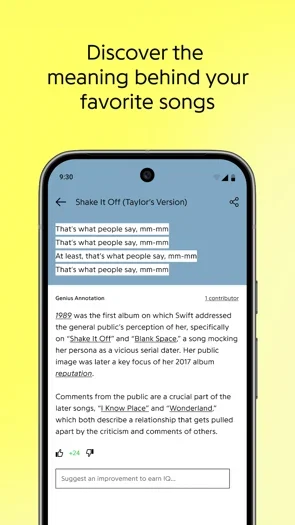
Genius has a library of millions of song lyrics. However, the real draw of this app is less the actual lyrics and more the fact that it also provides annotations to the lyrics. These annotations explore the meaning behind the words, with contributions from music fans and verified artists. Tap a highlighted line to read the explanation; community interpretations can differ from the songwriter’s own account.
The Android app can show notifications for music playing through other apps, provided you grant notification access. You can also tap the soundwave button to identify music playing around you and find its lyrics. Genius is free with ads, making it a useful starting point when you want to understand a song rather than simply follow the words.
2. Shazam
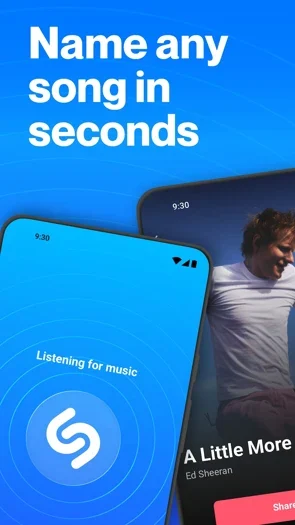
Shazam is one of the best-known music apps, which allows you to identify songs on the go. You can connect your Apple Music or Spotify account to add discoveries to a playlist, or open the song in a supported streaming service. Music videos are available through Apple Music or YouTube.
It also syncs available lyrics to the song, so you can sing along with the words appearing on your screen in real time. Shazam itself is free; subscriptions to connected music services are separate. It is a good choice when you hear an unfamiliar recording and want both its title and lyrics, though lyrics and other features vary by song and country.
3. SoundHound
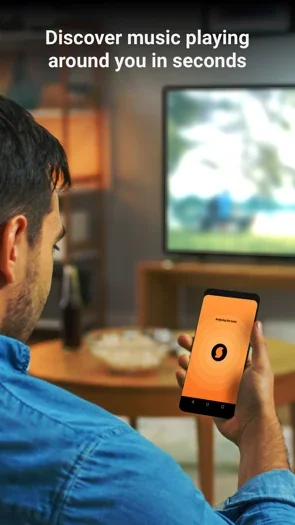
SoundHound identifies music playing in the background and displays available real-time lyrics through LiveLyrics. One of its useful features is that it saves the songs you discover in your history and on a personal Music Map, so you can keep track of where you first heard them. You can also sing or hum a melody into the app when you remember the tune but not the words.
Its “Hey SoundHound” voice commands let you ask for a song or its lyrics without typing. The free app contains ads and offers in-app purchases. Connecting Spotify for its playback and automatic playlist features has separate account and subscription requirements, so downloading SoundHound does not include a Spotify subscription.
4. Musixmatch
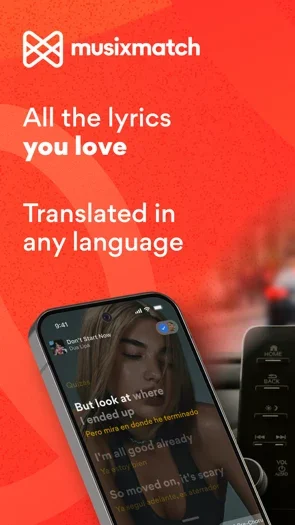
Musixmatch provides time-synced lyrics for millions of songs and connects with music apps including YouTube, Spotify, Apple Music, and SoundCloud. On Android, its floating lyrics can follow supported playback while you use another app. Translated lyrics help you understand songs in other languages as the music plays.
You can search using a single line of lyrics when you do not know the song title or artist, identify music around you, and share lines through LyricsCard. The free app has ads and in-app purchases. Premium adds offline lyrics and other features; Android Auto, word-by-word syncing, CarPlay, and lock-screen features have platform-specific subscription limits. It does not supply a subscription to the music services you connect.
5. Ultimate Guitar: Chords & Tabs
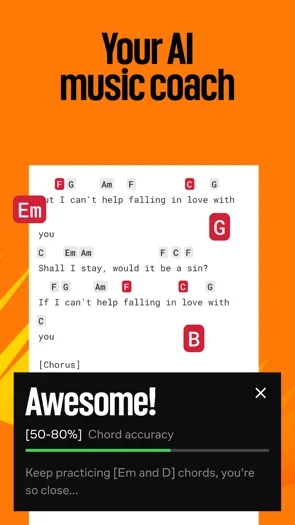
Ultimate Guitar: Chords & Tabs has a large chord and tab library for guitar, bass, and ukulele, but it also provides lyrics alongside chord sheets. This makes it useful when you want to sing and play the same song. You can search by tuning or difficulty, save favorites for offline use, and create personal tabs to edit the chords or lyrics to suit your arrangement.
The app is free to download with ads and in-app purchases. Pro adds features such as Official Tabs with synchronized lyrics, transposition, backing tracks, and scrolling tools. In particular, auto-scroll is a Pro feature, so the free download does not include every practice tool. A chord sheet is also different from a karaoke recording: you will often be following text as you play your own accompaniment.
6. Guitar Chord and Song Lyrics
View Price: Android
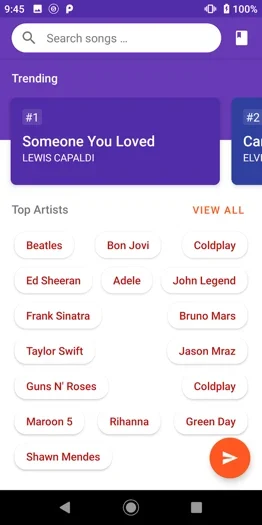
This Android app is aimed at guitar players who want a simple collection of chords with song lyrics. Its developer lists more than 18,000 song titles, with offline access so you can read a saved song without using mobile data. Search by title, singer, or band, then add songs to your favorites for easier access.
Auto-scroll moves the lyrics while you play, and you can request a chord sheet that is missing from the collection. It is a free app with ads. It suits a basic offline collection of chord sheets; choose a separate streaming or recognition app when you want lyrics matched to music playing elsewhere.
7. SongBook
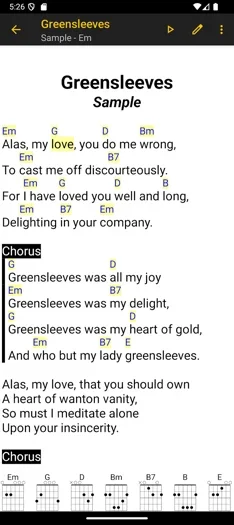
LinkeSOFT SongBook is a paid songbook app for keeping your own lyrics and chords together. You can write or import songs in ChordPro format, edit the words, transpose chords, and organize the collection into categories, tags, and performance setlists. Tap a chord name to see fingerings for instruments including guitar and ukulele.
Auto-scrolling and cloud synchronization make it useful for rehearsals and gigs. Its main limitation is that you supply the songs: it is not a subscription to a ready-made commercial lyric catalogue. Choose SongBook when writing and organizing lyric sheets matters more than recognizing whatever is playing on the radio.
8. LingoClip (Learn Languages with Music)
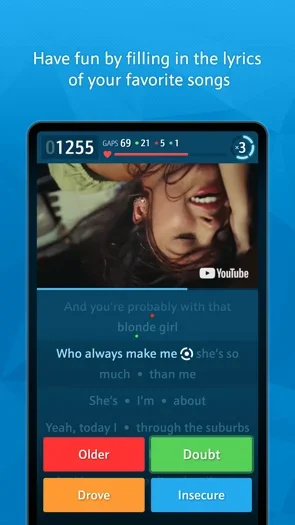
LingoClip, also known as LyricsTraining, combines language learning with music. Choose a song and fill in the missing words as you listen. You can select the difficulty or use karaoke mode to follow the lyrics without answering the questions. It is useful for practicing listening and vocabulary with songs you already enjoy.
The app covers more than ten languages, including English, Spanish, Portuguese, French, Italian, German, Dutch, Japanese in Rōmaji, Turkish, Polish, Swedish, Finnish, and Catalan. It also contains non-music content, such as movie clips and speeches. Features include a bilingual dictionary, translation, progress tracking, and challenges with friends; dictionary and translation support excludes romanized languages.
The free tier allows three games a day. A Premium subscription removes the game limit and unlocks additional vocabulary, translation, and history features. It is a language-learning service built around lyric videos, so it needs online content rather than acting as an offline player for your own music files.
9. Lyrics Mania
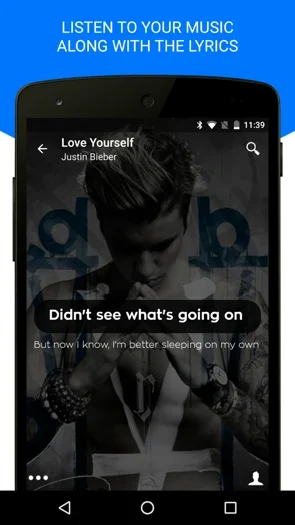
Lyrics Mania has a library of millions of lyrics that you can search by artist or song. Its Android app includes a music player and can show lyrics in real time while you listen. When supported external players are running, a notification takes you to the relevant lyrics instead of requiring a fresh search.
MusicID identifies a recording playing nearby and retrieves the song name, artist, and lyrics. This makes it useful for switching between music discovery and reading the words. The app is free to download with ads and in-app purchases. Automatic detection depends on your player and its permissions; the standalone search gives you another way to find the words.
10. ALSong
View Price: Android
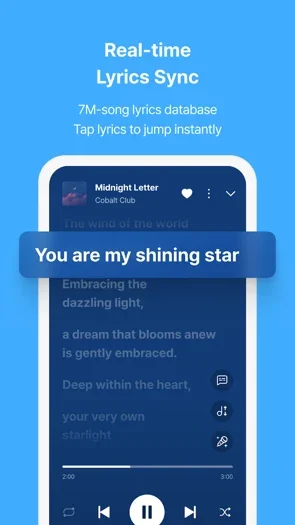
ALSong combines an Android music player with a database of more than seven million synced lyrics. It plays local files including MP3, FLAC, WAV, and AAC, and saves available synced lyrics after playback so you can view them offline later. Floating lyrics let you keep the words visible while using another app.
Section repeat, playback speed controls, and pitch adjustment are useful when learning a cover or practicing pronunciation. Karaoke Mode can turn supported local songs into accompaniment, with pronunciation guides for foreign-language lyrics. ALSong also offers streaming BGM playlists when you do not have local files. It is free to download with ads and in-app purchases; online playlists and finding new lyrics still need an internet connection.
11. Spotify
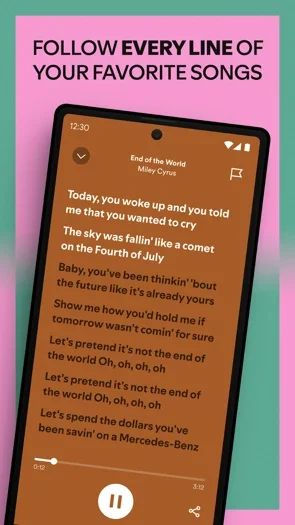
If you already listen through Spotify, you may not need a separate lyric finder. Open Now Playing, scroll to Lyrics, then tap the card for a full-screen view. The words follow the recording where synchronized lyrics are available, and you can share selected lines. Lyrics are available to both Free and Premium listeners, although coverage varies by song, market, and device.
Spotify also offers lyric translations for supported tracks. Premium subscribers can save available lyrics with downloaded songs for offline listening; this does not make offline music downloads a free-tier feature. Choose Spotify for lyrics within your existing streaming library. It is less suitable for maintaining lyric sheets or editing the words and chords for your own performance.
12. Yokee Karaoke – Start Singing
View Price: iOS
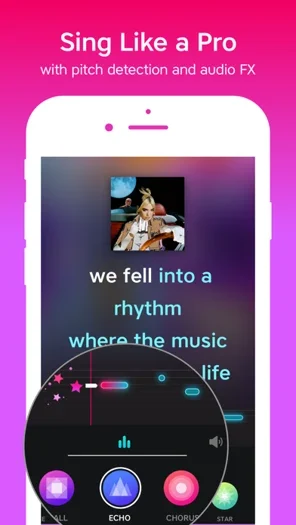
Yokee is a karaoke app for singing along to lyrics, recording your voice, and sharing performances. Its iPhone app offers songs and music videos across different genres, with vocal effects such as echo, reverb, chorus, and radio-style processing. Video themes let you turn supported performances into music clips; video recording is available for only part of the catalogue.
The app is free to download and includes free singing content, with a recurring Premium subscription for its VIP catalogue and unlimited recording, saving, and sharing. This makes it more suitable for making a performance than simply reading a song’s words. This entry is for the iPhone/iPad app.
13. Apple Music
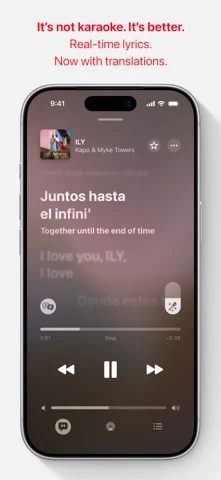
Apple Music shows time-synced lyrics for supported songs in its catalogue. Start a song and tap the Lyrics button in Now Playing to follow the words. If synchronized lyrics are unavailable, you may see the full lyric text instead. The music service is available on Android as well as iPhone, so it is a practical option for listeners using both platforms.
An Apple Music subscription is required for the catalogue lyric experience. On supported iPhone and iPad software, available songs can also display translations and pronunciation guides; languages and regional availability vary. These features are separate from simply downloading the app, and they are not guaranteed for every song. Choose Apple Music when you want lyrics attached to the music you stream, rather than an editable lyric notebook.
14. GOM Audio – Multi Music Player
View Price: Android
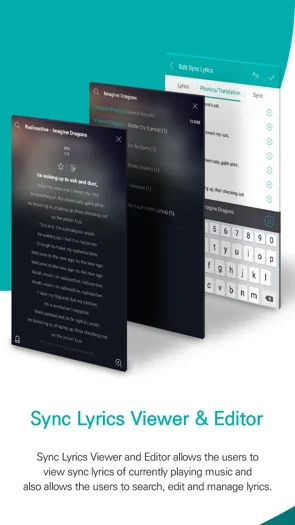
GOM Audio is an Android music player that supports synced lyrics while playing music files. It includes a lyric viewer and search, lock-screen controls, and playlists organized by artist, album, or folder. Tapping a lyric line lets you move to that point in a supported song, which is useful when repeating a verse.
Its equalizer, pitch and speed controls, and repeat function give you more control when practicing or listening. The app also supports cloud storage connections, including Dropbox and Google Drive, alongside local music. It is free with ads. Keep local playback and online lyric search separate in your expectations: owning the audio file does not guarantee that its lyrics are present in the online database.
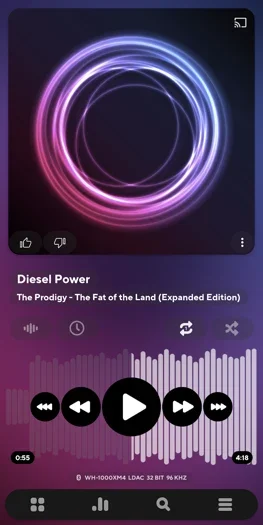
15. Poweramp Music Player
View Price: Android
Poweramp is an Android music player for a local music collection, with plain and synchronized lyrics alongside its playback and equalizer controls. It can read embedded lyric text and matching LRC files. A timed LRC file lets the words scroll with the track, making this a useful choice when you already have audio and lyric files saved on your phone.
The download is a full-featured trial, followed by a paid full-version unlock. It is not an unlimited free lyrics service, and you need to supply suitable lyric data or use an external lyric-search route. Make sure you choose Poweramp Music Player: the developer’s separate Poweramp Equalizer app is an audio-processing tool, not this local music library and lyric player.
Summary
These apps are useful resources for musicians and listeners who want to read, learn, or sing song lyrics. Choose a recognition app such as Shazam or SoundHound for an unfamiliar recording, Genius for annotations, or Musixmatch for synced and translated words.
For music you already stream, Spotify and Apple Music provide lyrics within their players. SongBook suits your own lyric and chord collection, while ALSong, GOM Audio, and Poweramp serve local music libraries. Offline lyrics depend on the app, saved files, and subscription, so they are not a feature shared by every choice here.