
15 Great Apps for Composers for iOS and Android (Free and Paid Options)

There are countless apps for composers, like Score Creator, Music Maker JAM, FL Studio Mobile, and many more. This list includes options ranging from music notation apps to DAWs and beat-making apps.
Whether an idea arrives on the road or you want to keep working away from your computer, a phone or tablet can help you capture it.
These apps include paid and free options for iOS and Android. Score Creator and Maestro suit written notation; GarageBand is a good free starting point on a compatible Apple device, while the larger DAWs let you combine MIDI parts and audio recordings.
Contents
1. Score Creator
Get it on: Google Play | App Store
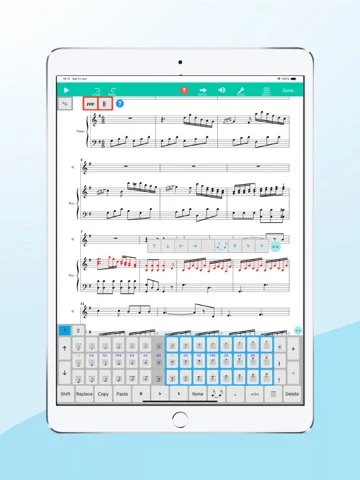
If you’re a classically trained composer or musician, you’re probably used to writing and reading sheet music. Score Creator is a practical way to get those ideas down on a phone: its note and chord keyboards let you enter notation without dragging every symbol onto the staff.
You can write lyrics, add several instrument parts and hear them played back. Transposition and changes of clef, key, time signature and tempo make it useful for developing an arrangement as well as jotting down a melody. MIDI, MusicXML and PDF export let you move the work into another notation program or print a part.
Score Creator runs on iOS and Android. The free download has paid unlocks; the iOS full version is offered through subscriptions or a lifetime purchase. It is not an unrestricted free notation editor. The current iOS app also adds photo and PDF scanning, although a scanned score still needs checking against the original.
2. Music Maker JAM
Get it on: Google Play | App Store
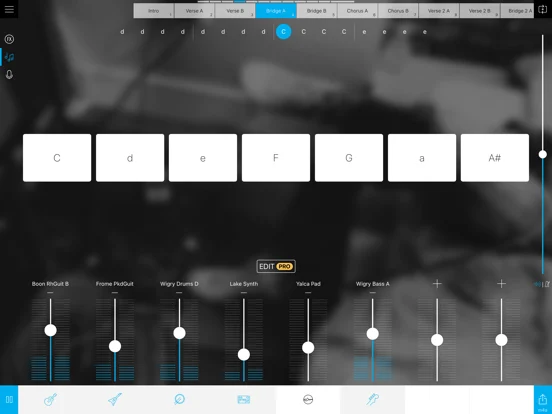
If you’re more into beat-making than writing notes, Music Maker JAM gives you an eight-track mixer for combining loops. You can change tempo and harmony, add effects and record your own vocals over the backing.
The loop-based approach is useful for trying a song structure or a new genre quickly. You’re arranging existing sounds, so it suits a rough backing track more than detailed orchestral notation or recording a whole band on separate inputs.
The iOS and Android apps are free to download, with a mixture of free and premium loops. Music Maker PRO adds paid features, including more harmony, song-part and effect controls. Some content is bought separately, so “free” does not mean that every pack and editing option is included.
3. Maestro
Get it on: Google Play | App Store
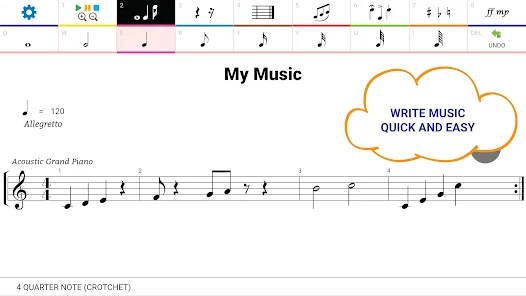
Maestro is another notation app for writing parts and hearing an arrangement back. It now runs on iPhone and iPad as well as Android, so it is no longer an Android-only choice.
Its notation tools cover multiple staves, lyrics, chord symbols, articulations and changes of clef, key or time signature. More than 100 playback instruments help you check a passage. You can show or hide staves to concentrate on one part, and the developer places no limit on the number of measures in a score.
Maestro can export printable sheet music as PDF or image files, as well as audio for sharing. It is free to download with in-app purchases; the Android listing also includes ads. It is a useful option for notating an idea directly, while the playback sounds serve as a guide to the writing rather than a finished orchestral production.
4. MuseScore
Get it on: Google Play | App Store
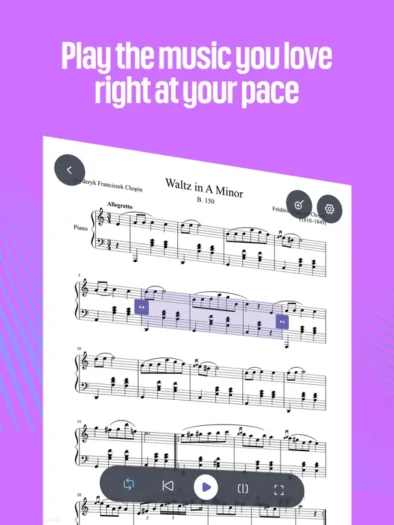
MuseScore’s mobile app is a sheet-music reader and player for iOS and Android. It can help you study an arrangement, follow a score and practise a part, but it does not create or edit notation.
The distinction matters for composers: MuseScore Studio is the separate free, open-source notation editor for Windows, macOS and Linux. You can use the mobile app to consult music away from your computer, then return to Studio when you need to change the notes.
The mobile download is free, with subscription features and score-access restrictions. Offline access and other advanced tools can require a paid plan, and access to licensed catalogue scores is not the same entitlement as using the free desktop editor. Choose Score Creator or Maestro instead if your main task is entering notes on your phone.
5. GarageBand
Get it on: App Store
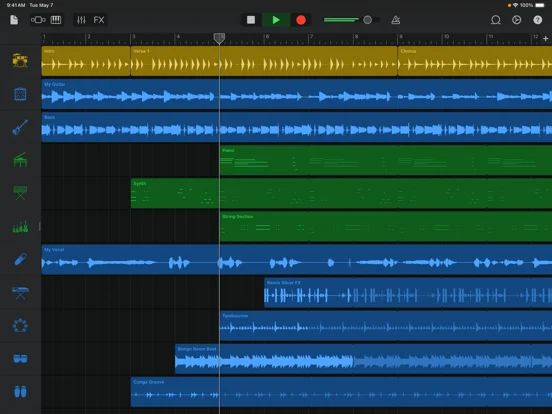
If you have a compatible iPhone or iPad, GarageBand is a strong free starting point for composing and recording. Touch Instruments let you play keyboards, drums, strings and other parts on the screen; Live Loops offers another way to build an arrangement from repeating sections.
You can combine instrument parts with microphone recordings, edit notes and work with up to 32 tracks. Sound Library downloads expand the included material without a paid feature unlock. Compatible Audio Unit extensions can add instruments or effects, although those separate apps may be paid.
GarageBand is an Apple app, with no Android version. The current mobile release requires iOS or iPadOS 27, so an older device may not qualify for the latest download. It is a capable portable studio, but the mobile and Mac versions have different interfaces and features; buying a desktop plug-in does not make it work on an iPad.
6. FL Studio Mobile
Get it on: Google Play | App Store
FL Studio Mobile is a paid, self-contained DAW for iPhone, iPad, Android and compatible Chromebooks. It is a separate purchase from desktop FL Studio; owning one does not include the other mobile store’s licence.
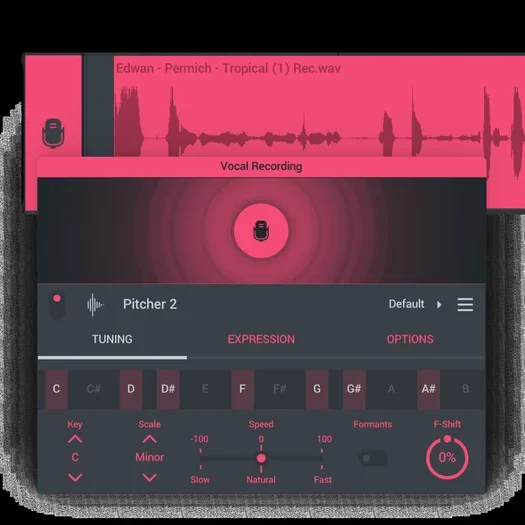
Version 5 combines audio recording, a piano roll, a mixer and automation with eight instruments and more than 30 effects. You can play the screen keyboard or use a compatible MIDI controller, then edit the performance. Pitcher 2 provides vocal pitch correction, and mobile projects can be exported as FL Studio project files for further work on the desktop.
The app includes sounds and optional expansions. Its FL Cloud Sounds browser has a free selection, while the full library needs an FL Cloud plan. That optional subscription does not make the main app free, and desktop FL Cloud plug-ins and mastering are separate features. Audio and MIDI export also let you continue a composition in another DAW.
7. Cubasis 3
Get it on: Google Play | App Store
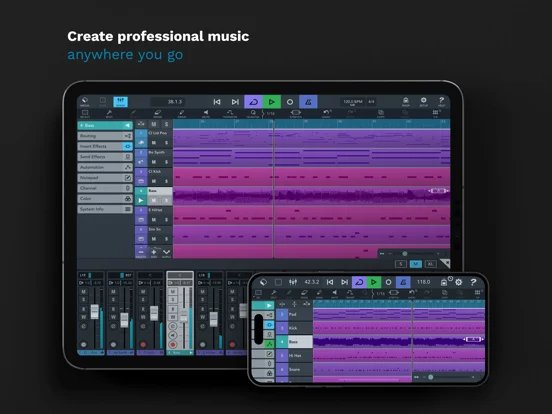
Cubasis 3 is a useful mobile DAW for composers who want piano-roll writing and audio recording in the same project. It runs on iPhone, iPad, Android and compatible Chromebooks, with instrument sounds, a sampler and a keyboard with chord controls.
You can build an arrangement across audio and MIDI tracks, change tempo and time signature, edit individual notes and mix with insert and send effects. The instrument library gives you somewhere to start without needing a separate sound source, and projects can move to desktop Cubase for further work.
Cubasis 3 is a paid full app with optional in-app instruments and effects. Apple and Google purchases are separate. The iOS edition hosts compatible AUv3 apps; Android does not host those plug-ins and has more limited external audio and MIDI hardware support. Those platform differences are worth considering if you already rely on particular instruments or interfaces.
8. Song Maker
Get it on: Google Play
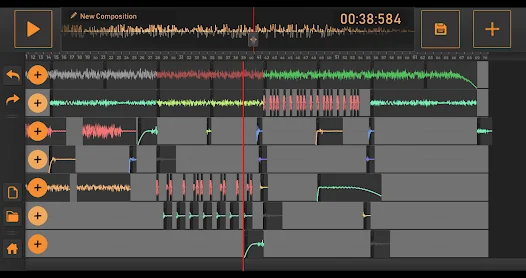
Song Maker is an Android loop-mixing app for people who want to make a simple backing without learning a full recording workstation. Layer the supplied sounds across tracks, adjust their placement and record a vocal over the result.
You can trim and repeat sounds, apply fades and combine different beat and instrument categories. It is useful for trying the shape of a song or making a quick demo. A notation app or a DAW with detailed MIDI editing gives you more control when you need to write every note yourself.
Most basic features are available without paying, but the free app has ads. Some sounds are accessed through rewarded ads, and a subscription unlocks additional demo material and unlimited projects. The developer allows finished compositions made with its sounds, while prohibiting resale of the raw loops.
9. Walk Band
Get it on: Google Play
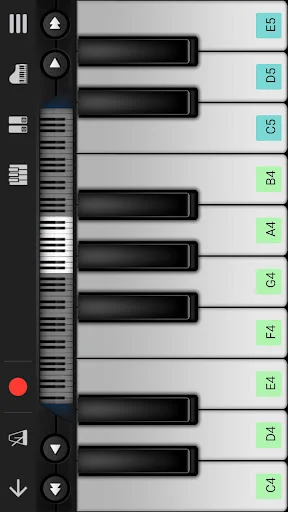
Walk Band is an Android collection of playable instruments with multitrack recording. You can choose a piano, guitar, bass or drum interface, perform on the screen and layer the parts into a sketch.
Its guitar and bass screens include solo and chord modes. A piano-roll editor lets you adjust MIDI parts after recording, while voice recording adds an audio part to the arrangement. USB MIDI keyboard support is useful if playing a touch screen feels too cramped.
The current app is free to install with ads and in-app purchases; Google Play Pass is another entitlement where offered. It is not necessary to describe it as separate Lite and Pro apps. Response time also depends on the phone and audio connection, so wired monitoring is a better starting point than Bluetooth when you want to play along precisely.
10. GrooveMixer
Get it on: Google Play
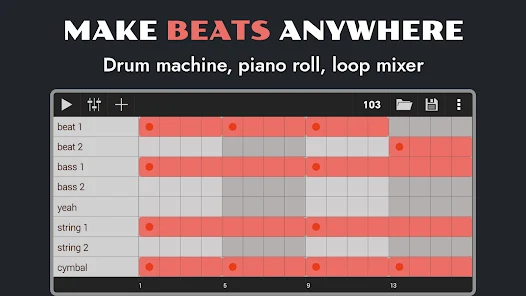
GrooveMixer is an Android sequencer for building drum patterns, bass lines and sample-based arrangements. Each drum-machine pattern has eight channels, and the piano roll gives you control over note pitch and velocity.
You can import your own samples without an in-app purchase, then trim or reverse audio and combine it with the supplied sounds. Pattern sequencing and the mixer make it useful for sketching a beat or preparing an accompaniment. Effects include delay, filtering, compression, distortion and bitcrushing.
The app has a free download with ads and in-app purchases, alongside a separate paid Pro listing. Export options include MP3, WAV, OGG, FLAC and MIDI. Projects are stored on the device, so back them up before uninstalling or changing phones rather than assuming that a cloud copy exists.
11. Figure
Get it on: App Store
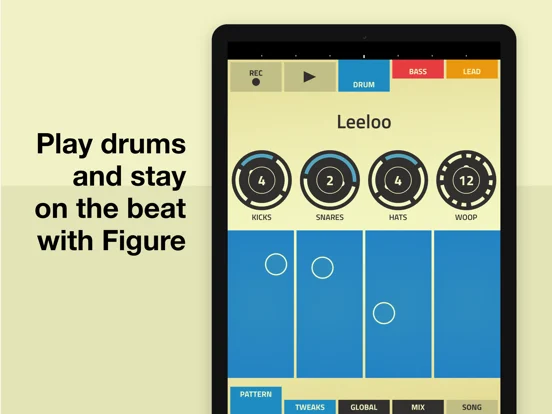
Figure is a free iPhone and iPad app built around three parts: drums, bass and lead. Slide a finger across its play pads to record a pattern, then adjust the key, rhythm, swing and sound controls.
Its bass and lead sounds come from Reason’s Thor synthesizer, with drum sounds based on Kong. The limited layout is the attraction when you want an electronic idea quickly: you can concentrate on a groove instead of setting up a large session.
Figure works with short loops of up to eight bars and includes effects automation and audio sharing. It is not a general multitrack recorder or a sampler for importing a collection of your own instruments. Choose it for a compact beat sketch; use one of the larger DAWs here when you need vocals, long arrangements or detailed audio editing.
12. BandLab
Get it on: Google Play | App Store
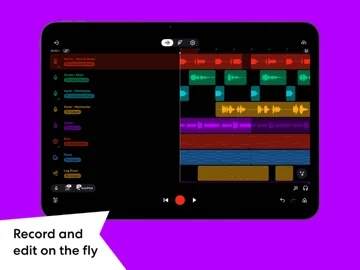
BandLab combines a mobile recording studio with a community for sharing music and finding collaborators. Its iOS and Android apps let you record audio, add virtual instruments, program beats and shape parts with effects. A browser version is useful when you want to continue on a computer.
The free Studio is enough to start a song, and your BandLab account connects projects and collaboration across devices. The social side is optional for your writing process: you can develop an idea before deciding whether to publish it or invite other musicians.
Paid BandLab Membership plans add tools, effects, sounds and artist services, including a higher Studio track limit. They are separate from the free core studio, so do not assume that every advertised AI or mastering feature is included. For a composer who wants feedback or a remote collaborator, the account-based workflow is its clearest advantage.
13. Audio Evolution Mobile Studio
Get it on: Google Play | App Store
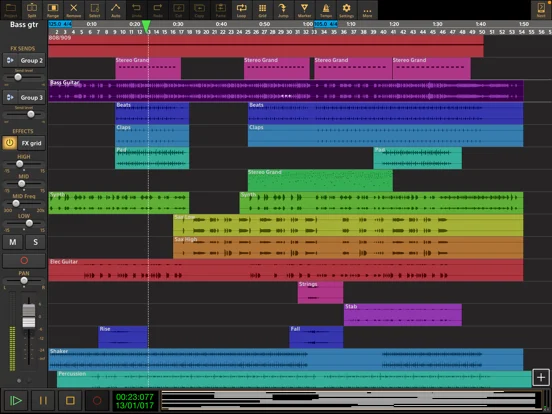
Audio Evolution Mobile Studio is a paid audio and MIDI workstation for Android, iPhone and iPad. It suits composers who want to record real instruments alongside MIDI parts, import audio and edit an arrangement with a piano roll.
Non-destructive editing lets you move, trim, split and stretch clips while retaining the original recordings. Mixer automation, effects and subgroup routing give you more control as a sketch turns into a larger production. Compatible MIDI hardware can provide a more comfortable way to play instrument parts.
Some features cost extra. Vocal Tune Studio, selected Toneboosters effects and additional instruments are in-app purchases; Android’s custom USB audio driver is another optional purchase for supported interfaces. The iOS edition supports compatible AUv3 instruments and effects. These are platform-specific mobile purchases, rather than a licence for the developer’s desktop software or arbitrary desktop VST plug-ins.
14. Caustic 3
Get it on: Developer download for Android | App Store
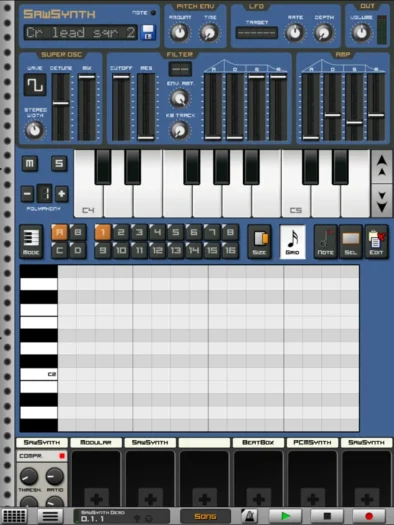
Caustic 3 is a rack-style electronic studio with synthesizers, a sampler, drum machines, effects and pattern sequencing. It is useful if you enjoy building an electronic arrangement from a small set of connected instruments rather than recording a band.
The Android version now has a free 64-bit build supplied directly by its developer. It requires sideloading and permission to access all files. This is the old 3.2 code adapted for newer Android devices, not a new generation of the app; the developer also warns that enabling MIDI crashes on some devices.
The iOS edition remains a separate paid App Store app. Choose Caustic for its rack and sequencer workflow with those limits in mind. If you need a straightforward store installation on Android for a new setup with external MIDI, Cubasis 3 or FL Studio Mobile is a more practical starting point.
15. n-Track Studio
Get it on: Google Play | App Store
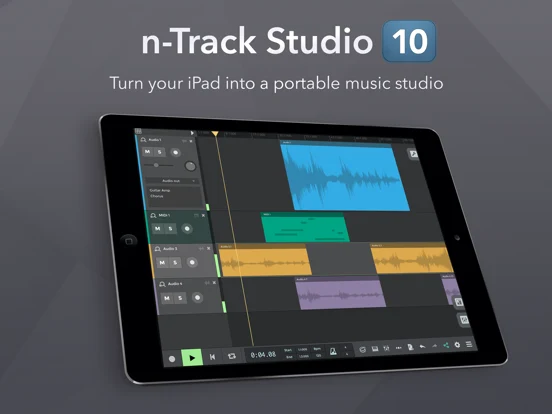
n-Track Studio is an iOS and Android workstation for recording audio, writing MIDI parts and making beats. You can import an unfinished idea, add instruments with the screen keyboard or a compatible MIDI controller, and edit the result in the piano roll.
The built-in metronome helps when recording a part, while the mixer and automation let you adjust levels and pan over time. Songtree integration adds a way to share work and collaborate. The iOS edition also supports compatible AUv3 instruments and effects.
The free mobile edition has up to eight tracks and two effects per channel. Local WAV or MP3 export requires a purchase. Standard, Extended and Suite subscriptions unlock different levels of features, with advanced audio options and premium sounds depending on the plan. The desktop edition has its own licensing and free limits, so its comparison table should not be read as the mobile app’s entitlement.
Summary
For writing sheet music on a phone, start with Score Creator or Maestro. For a free recording and instrument app, GarageBand suits compatible Apple devices, while BandLab also works on Android and in a browser. FL Studio Mobile and Cubasis 3 offer paid routes to more involved arrangements.
Choose around the work you want to finish: entering notation, trying a loop-based backing, or recording and editing your own parts. Check the mobile app’s included features and export options before committing a whole composition to it.






Hello. The iOS link of the Score Creator app (https://www.musicianwave.com/best-apps-for-composers) is broken. Please fix! Thanks!
Hi, I’ve fixed the link – thanks!