The 8 Best Delay Plugins of 2026 (Free and Paid)

The right delay can add a short vocal echo, a rhythmic repeat or a long atmospheric tail. These eight plugins offer different approaches to timing, coloration and modulation, including two free choices.
My top pick is ValhallaDelay (Paid) for its range of tape, bucket-brigade and digital characters, with diffusion for echoes that spread into atmospheric tails.
My budget pick is Sixth Sample Deelay (Free), a free delay with five modes, diffusion, distortion and modulation for both familiar echoes and creative effects.
Contents
- The Best Delay Plugins (2026)
- 1. ValhallaDelay (Paid)
- 2. Sixth Sample Deelay (Free)
- 3. Waves H-Delay (Paid)
- 4. Native Instruments Replika XT (Paid)
- 5. Soundtoys EchoBoy (Paid)
- 6. FabFilter Timeless 3 (Paid)
- 7. Arturia Delay TAPE-201 (Paid)
- 8. Valhalla Supermassive (Free)
- How to Choose a Delay Plugin
- Frequently Asked Questions
- Summary
The Best Delay Plugins (2026)
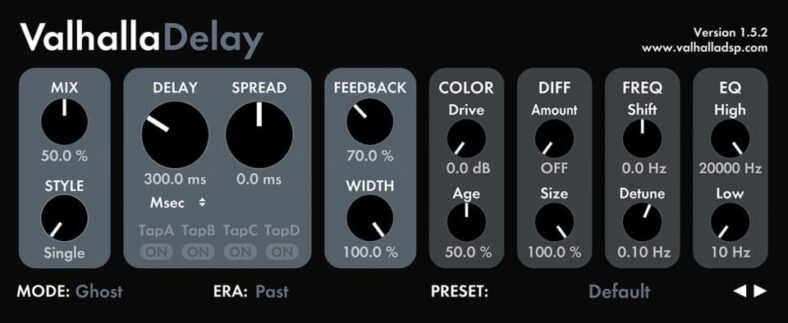
ValhallaDelay is a strong first paid delay when you want several characters without building a complicated effects chain. Its modes cover tape, bucket-brigade, digital, pitch-shifted, and more unusual echoes.
Pros
- Several delay characters in one plugin
- Diffusion extends echoes into atmospheric tails
Cons
- Ducking is unavailable in some delay modes.
The Age and Era controls change the character of the selected algorithm, while Drive adds coloration. These are useful for moving from relatively clear repeats to a worn or distorted sound. The modes are Valhalla’s approaches to different delay technologies; they are not a set of exact recreations of individually named hardware units.
Diffusion can blur separate repeats into a more continuous tail. That makes this a practical choice for both ordinary instrument echoes and atmospheric effects. Start with low diffusion if the repeat rhythm needs to stay obvious.
For vocals, choose a mode with ducking, such as DuckTape or Clarity, when you want the echoes to move out of the way of the dry performance. Ducking is mode-specific, so switching sounds can change that behavior. Choose Timeless 3 instead if you want to create more detailed modulation relationships.

Sixth Sample Deelay is a free creative delay with diffusion, distortion, and modulation. It is a good starting point when you want to experiment with more than a clean echo without buying another effect.
Pros
- Free creative delay with diffusion and distortion
- A/B controls compare settings
Cons
- No VST2 version for older Windows hosts.
There are five delay modes and 100 factory presets. The A/B controls help compare two settings, which is useful when small changes to feedback or tone are difficult to judge from memory. Diffusion can turn distinct repeats into a more blended tail, while distortion changes the texture of the echoes.
Start with a modest wet level and feedback setting before exploring the more extreme presets. When a delay becomes part of a riff, compare it with the full beat playing so the repeated notes support the groove.
The free Deelay is separate from the paid Deelay Platinum Edition. The developer lists VST3 and AAX on Windows, plus AU on macOS. Check the download for your host rather than assuming that every older plugin format is included.
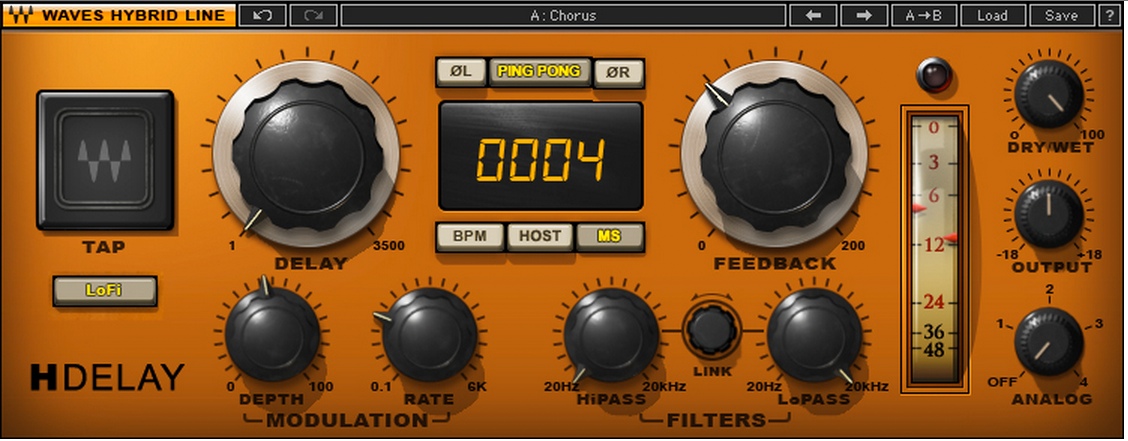
Waves H-Delay suits producers who want to set a useful echo quickly. Its main controls focus on delay time, feedback, tone, modulation, and the balance of dry and delayed audio.
Pros
- Direct controls for slapback and vocal throws
- High-pass and low-pass filters shape the repeats
Cons
- No built-in ducking for keeping echoes below the vocal.
You can set timing in milliseconds, follow the DAW’s tempo, or use tap tempo. A short delay with restrained feedback is a sensible starting point for vocal slapback. For a phrase-ending throw, automate the send from the vocal so only the chosen word enters the delay.
The high-pass and low-pass filters let you narrow the repeats without adding a separate EQ. Lo-Fi adds reduced-sample-rate character, while the Analog control gives you several circuit-style colors. These are useful options when a clean repeat competes too much with the original sound.
H-Delay is my pick for a compact mixing workflow. EchoBoy and Timeless 3 make more sense if you specifically want to design a pattern of individually controlled repeats. For a delay that ducks under a vocal, use an appropriate alternative here or a sidechain compressor on H-Delay’s return.
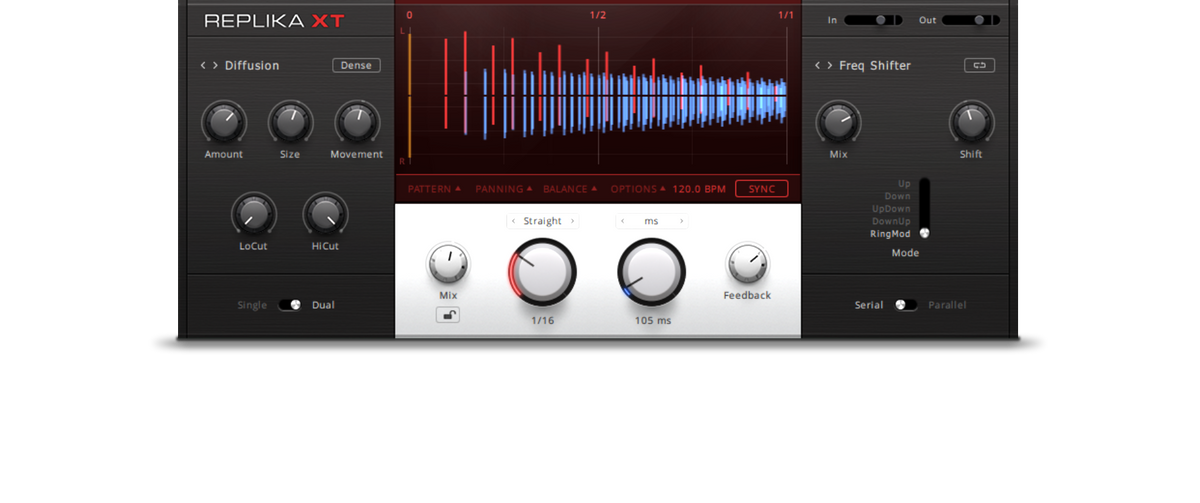
4. Native Instruments Replika XT (Paid)
Replika XT is a useful middle ground between a basic delay and a deep modulation environment. Its Modern mode is the place to start for clear repeats that support a vocal, arpeggio, or percussion part.
Pros
- Five modes cover clear, colored, and diffuse echoes
- Pattern and separate panning controls for stereo effects
Cons
- Ducking is unavailable in Dual mode.
The other four modes are Vintage Digital, Analogue, Tape, and Diffusion. Vintage Digital adds an older digital character, while Analogue takes its direction from bucket-brigade pedals. Diffusion creates a more reverberant effect. These modes describe sound families rather than five exact models of specific hardware.
Pattern controls and separate panning for delayed and dry signals help shape a stereo effect. For example, you can keep the lead instrument centered while spreading its repeats. Single mode also gives you ducking controls for keeping the original performance clear; that menu is not available in Dual mode.
Choose Replika XT when you want to change between clean, colored, and spacious delays within a consistent interface. Check the product name before buying: the simpler Replika is a separate edition, and its feature set should not be confused with XT.
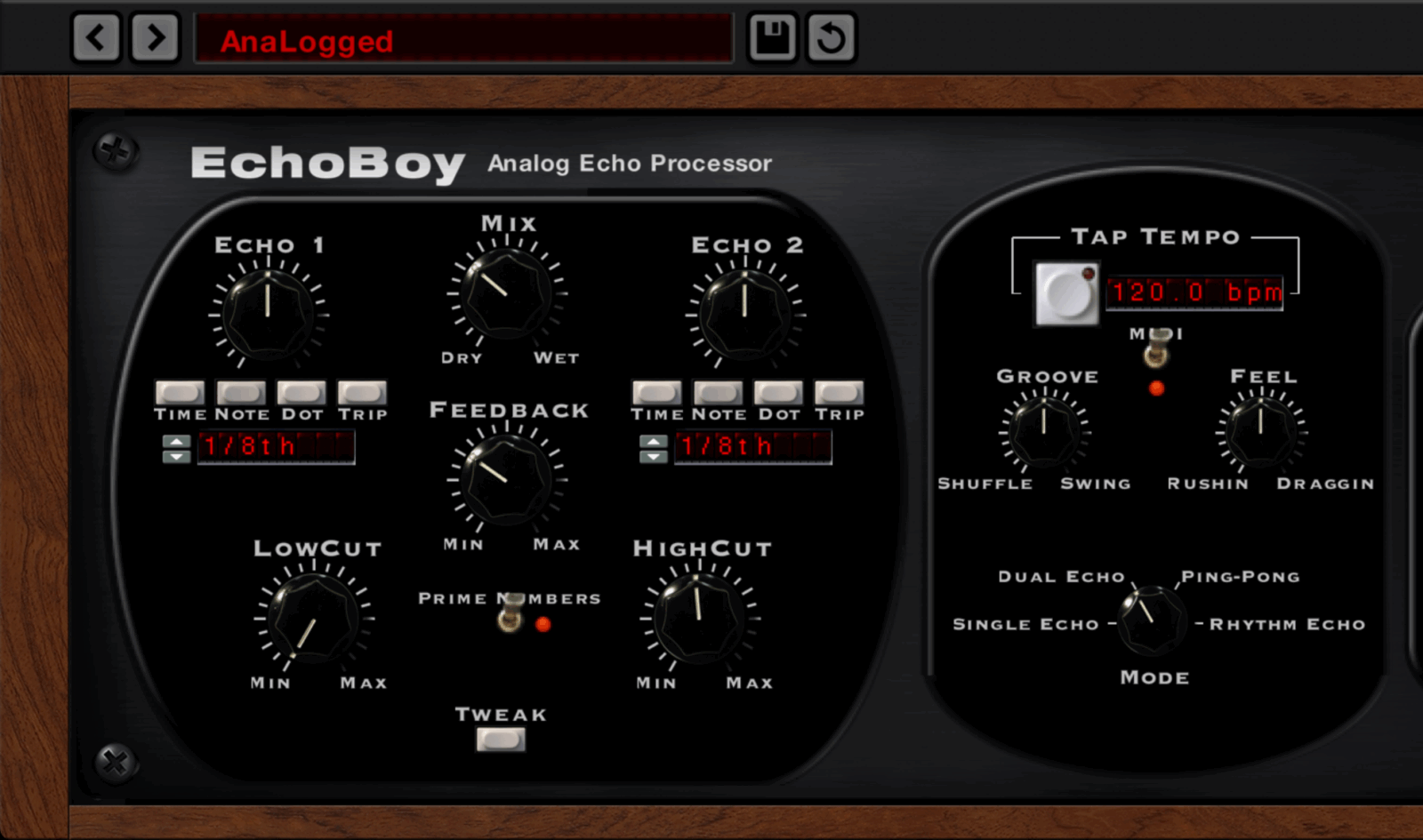
Soundtoys EchoBoy is the option to consider when the rhythm and character of an echo matter as much as its timing. It combines 30 echo styles with Single, Dual, Ping-Pong, and Rhythm modes.
Pros
- Groove and Feel controls adjust rhythmic placement
- Rhythm mode supports up to 16 taps
Cons
- Not compatible with ARM-based Windows computers.
Groove and Feel controls let the repeats sit around the beat instead of remaining rigidly aligned. This is useful when a perfectly synced delay feels too mechanical against a shuffled drum part or a loose guitar performance. Listen to the full arrangement while adjusting them, because a rhythm that works in isolation can clash with the percussion.
Rhythm mode allows up to 16 taps, and the Style Editor adds control over saturation, wobble, and diffusion. The echo styles draw from familiar vintage devices, but choosing a style does not reproduce every control or limitation of the original hardware.
Pick the full EchoBoy for its detailed rhythm tools. EchoBoy Jr. is a different, simpler plugin. If you mainly need a quick slap with a few repeats, H-Delay keeps the choice of controls smaller.
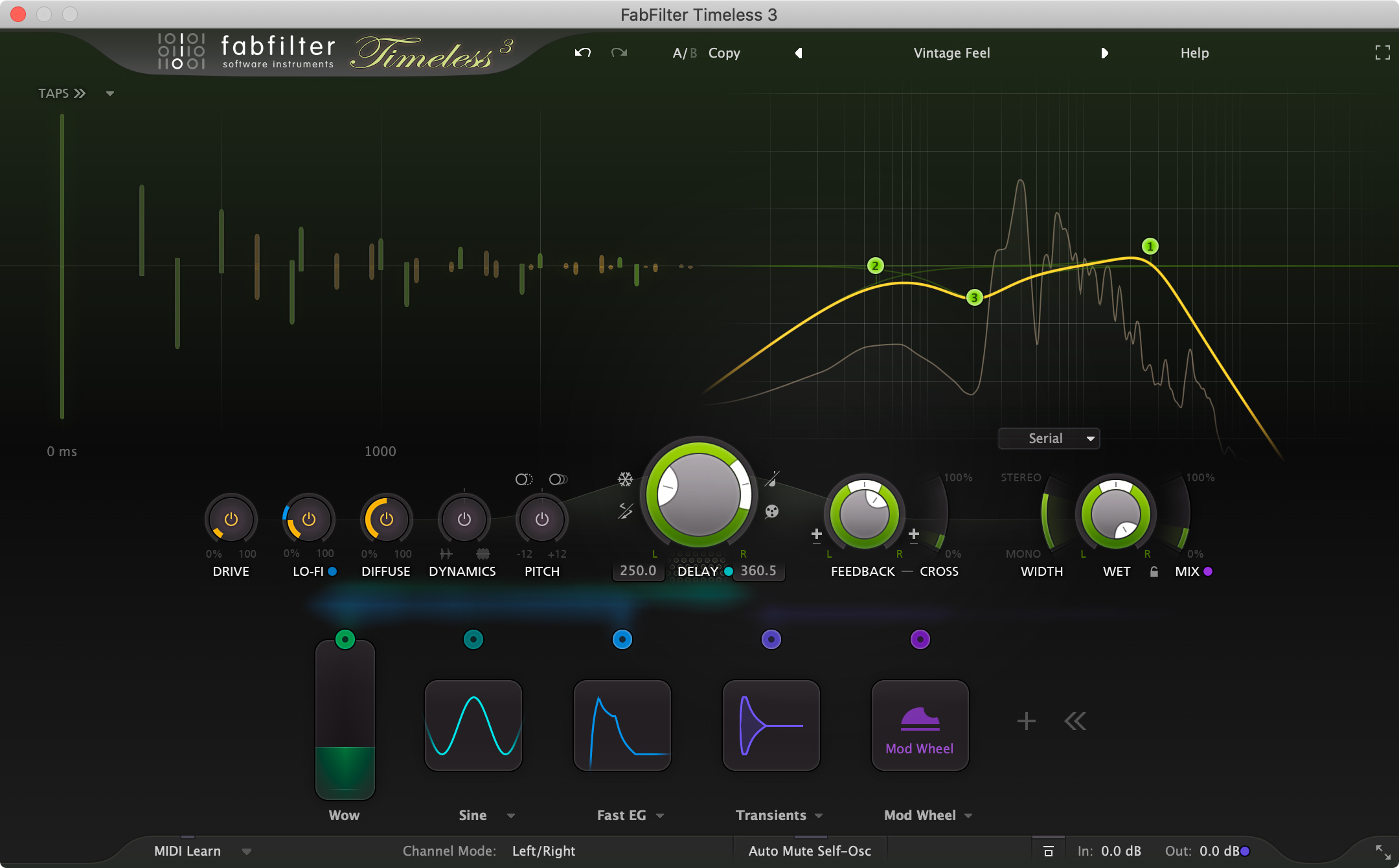
FabFilter Timeless 3 is my recommendation for producers who want to build their own moving delay effects. It supports up to 16 delay taps and six filters, with a visual modulation system for connecting controls.
Pros
- Up to 16 taps and six filters
- Visual modulation with envelope followers and XLFOs
Cons
- Ducking needs manual modulation routing or a suitable preset.
The Drive, Lo-Fi, Diffuse, Dynamics, and Pitch effects can change the delayed signal beyond ordinary echo. Modulation sources include envelope followers and XLFOs, so a sound can change in response to its input or follow a programmed movement. This is especially useful when a repeated synth phrase needs variation throughout a section.
Ducking is created through modulation, such as using an envelope follower to reduce the delayed output. It is more flexible than a fixed ducking knob, but you need to understand the routing or start from a suitable preset.
Choose Timeless 3 for that level of control. If your priority is turning on a delay and moving one or two knobs, H-Delay or ValhallaDelay will be a more direct starting point. Timeless’s depth is most useful when you intend to edit the sound beyond its presets.
Arturia Delay TAPE-201 is a focused choice for tape echo with spring reverb. Its modeled tape mechanism has three playback heads and a reverb tank, with 12 combinations of heads and reverb.
Pros
- Three tape playback heads with spring reverb
- Advanced controls include flutter and motor inertia
Cons
- Tape coloration can soften the attack of repeats.
Selecting different head combinations changes the repeat pattern. That is useful for dub-style percussion echoes or guitar parts where several related echoes make more sense than one evenly repeated note. Repeat rates can be linked to the host tempo, and the stereo options extend the vintage design.
The advanced controls include tape behavior such as flutter, motor inertia, and background noise. Input EQ helps shape what enters the echo. You can keep the spring reverb restrained when you want clear rhythmic repeats, or blend it in for a more spacious effect.
Choose TAPE-201 for this specific combination of tape heads and spring reverb. ValhallaDelay has a broader range of delay types, while Timeless 3 gives you more freedom to design a tap pattern from scratch. Tape-style coloration can soften the attack of repeats, so audition the effect with the track playing.

Valhalla Supermassive is the free option for ambient echoes, sustained textures, and effects that sit between delay and reverb. It is a separate plugin from the paid ValhallaDelay.
Pros
- Free delay and reverb textures
- Warp and Density shape spacious, evolving tails
Cons
- Slow-building modes can blur fast rhythmic repeats.
The modes have different attack, decay, and echo-density characteristics. Some produce distinct echoes; others gradually build into a broad wash. Warp changes the relationship between delay lengths within the effect, and Density helps control how continuous the tail becomes.
That makes Supermassive useful for extending a sustained guitar note or a synth pad. Lower the effect return when the arrangement becomes busier, and leave space at the end of an export if the tail is part of the music. A slow-building mode can continue developing after the original note has stopped.
For a tight vocal slap or a clearly separated rhythmic repeat, start with H-Delay or Replika XT. Supermassive earns its place when you want the echo to become part of the atmosphere.
How to Choose a Delay Plugin
Decide whether you want clear repeats or coloration
Clean digital delay is a sensible starting point for an arpeggio or a vocal line where the repeated notes need to remain recognizable. Replika XT’s Modern mode fits that task. Tape and bucket-brigade styles are useful when you want the repeats to change in tone or pitch as they decay.
More coloration is not automatically better. A dark echo can support a bright guitar, but an already subdued recording may need clearer repeats. Compare sounds at a similar return level so extra volume does not decide the purchase for you.
Check timing and stereo controls
Tempo sync is useful for repeats that form part of the rhythm. Millisecond timing suits slapback and small timing offsets. A dotted-eighth repeat interacts differently with a straight-eighth part, so try both while listening to the drummer’s pattern.
Ping-pong delay moves repeats between the stereo channels. A multi-tap delay lets you choose several repeat positions within a pattern. If you regularly design these patterns, EchoBoy or Timeless 3 will be more useful than buying a simple delay only for its preset count. Check the mix in mono as well as stereo.
Look at feedback, filters, and ducking
Feedback determines how much delayed audio returns to the delay’s input. High settings can make echoes build in level or last much longer than expected. Turn feedback up gradually, especially with distortion in the loop.
Filters let you reduce bass buildup and soften bright repeats. Ducking reduces the echo while the source is active, then allows it to become more audible between phrases. Check how each plugin implements it: a dedicated control, a particular algorithm, and a modulation setup are different workflows.
Try the plugin in your actual DAW
Check your operating system, processor, plugin format, and authorization requirements before buying. AU is commonly used in Logic, while other hosts may use VST3 or AAX. A Windows download does not guarantee native support for an ARM-based Windows computer, and an older Mac installer may have different requirements from the current release.
Use a demo with a real session when one is available. Try one vocal delay and one more demanding effect. If the stock delay in your DAW already covers both, a purchase should add a sound or workflow that you will use regularly.
Frequently Asked Questions
What is the best delay plugin for vocals?
H-Delay is a straightforward choice for slapback and phrase-ending throws. ValhallaDelay’s ducking modes suit more sustained echoes that need to stay below the dry vocal. EchoBoy is worth considering when you want to adjust the groove of the repeats. Start by choosing the job: a short slap and a wide rhythmic delay need different settings. Our guide to mixing vocals covers the surrounding vocal chain.
Should I put delay on an insert or a send?
A send is usually convenient when you want separate control of the dry track and the echo. Set the delay on the return to fully wet, then use the send level to decide how much audio enters it. An insert is useful when the effect belongs to one instrument and you want its dry/wet control to set the balance.
Can a free delay plugin replace a paid one?
Yes, if its controls cover the job and it works reliably in your host. Deelay is a useful free option for creative echoes, while Supermassive handles spacious delay and reverb textures. Paid options may be worth buying for a particular tape character, detailed tap editing, or an interface that makes your regular mixing work easier.
What is the difference between delay and reverb?
Delay usually produces audible repeats separated by a chosen interval. Reverb creates a denser collection of reflections that gives a sense of space. Diffusion can blur that boundary, which is why ValhallaDelay and Supermassive can produce both distinct echoes and more continuous tails. For a separate vocal reverb, see our guide to reverb plugins for vocals.
Summary
Choose ValhallaDelay for a broad range of delay sounds, H-Delay for quick mixing, or Timeless 3 for detailed custom modulation. EchoBoy suits rhythmic character, Replika XT covers clean and colored echoes, and TAPE-201 focuses on tape with spring reverb. Start with Deelay or Supermassive if you want a free option, then buy a specialist delay when you know which control or sound is missing from your setup.